
Counter-Strike Source on Android, rebuilt for touch: custom menus, a settings screen with eight tabs, a HUD you can resize, an animated buy menu, and LAN lobbies that never touch the internet.
Download the round 10 build
GoFile holds CSMOS-LAN.apk only, for a fast re-download. MEGA holds the whole folder, app and game files together - download it as one zip from the folder page.
The MEGA link is a folder: new builds are dropped into the same folder, so the link never changes. The shared folder link is being created right now - use GoFile for the app until it is here.
APK MD5 c1a6cb27a6c758d4a40e986dc9208222 · 84,053,387 bytes
What is this?
CSMOS is Counter-Strike: Source running on Android through a Source-engine port. This is the LAN edition: the menus, the HUD, the chat and the buy menu were rebuilt for a touchscreen, and a lobby system was added so devices on the same Wi-Fi can play together without any internet connection.
It is two things to copy: an APK (the app) and a folder called CSMOS V8.5 (the game files). The app finds that folder by itself after the first start.
Everything is local. No account, no sign-up, no telemetry; the game talks only to the other devices on your network.
New in round 10
The full list of round 10 changes is in Gameplay & Features.
Gameplay & features
What a match looks like
Every screen below is from the current build, captured on a tablet.
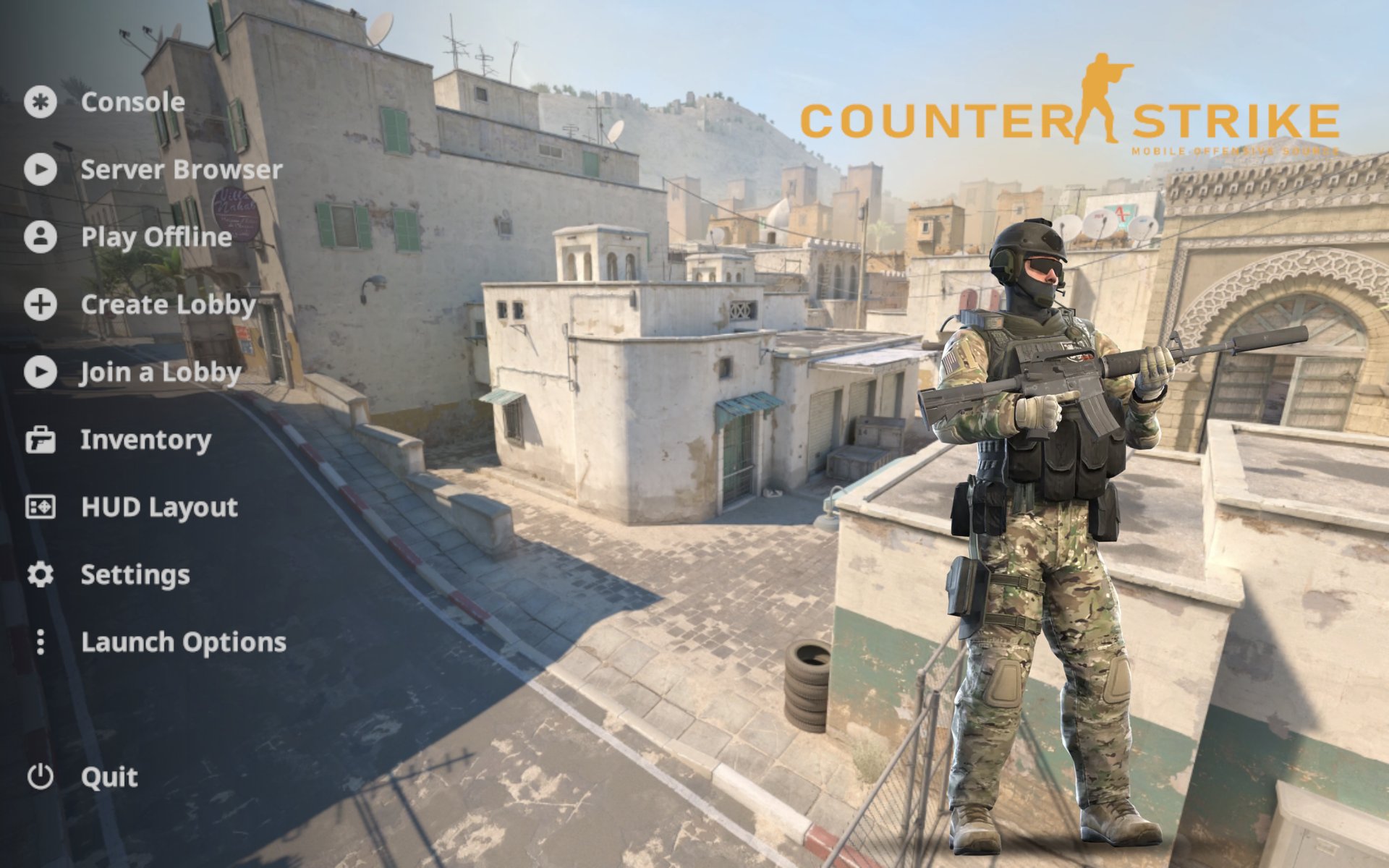
Main menu
Dust II background, the CSMOS logo top-right and the animated CT statue on the right. The statue steps aside whenever an engine dialog opens. The CS:GO menu music plays here and in the LAN lobby and fades out when a map loads.
Main menu buttons
| Button | What it does |
|---|---|
| Console | Opens the developer console. |
| Server Browser | The game's own server list (internet / LAN / favourites). |
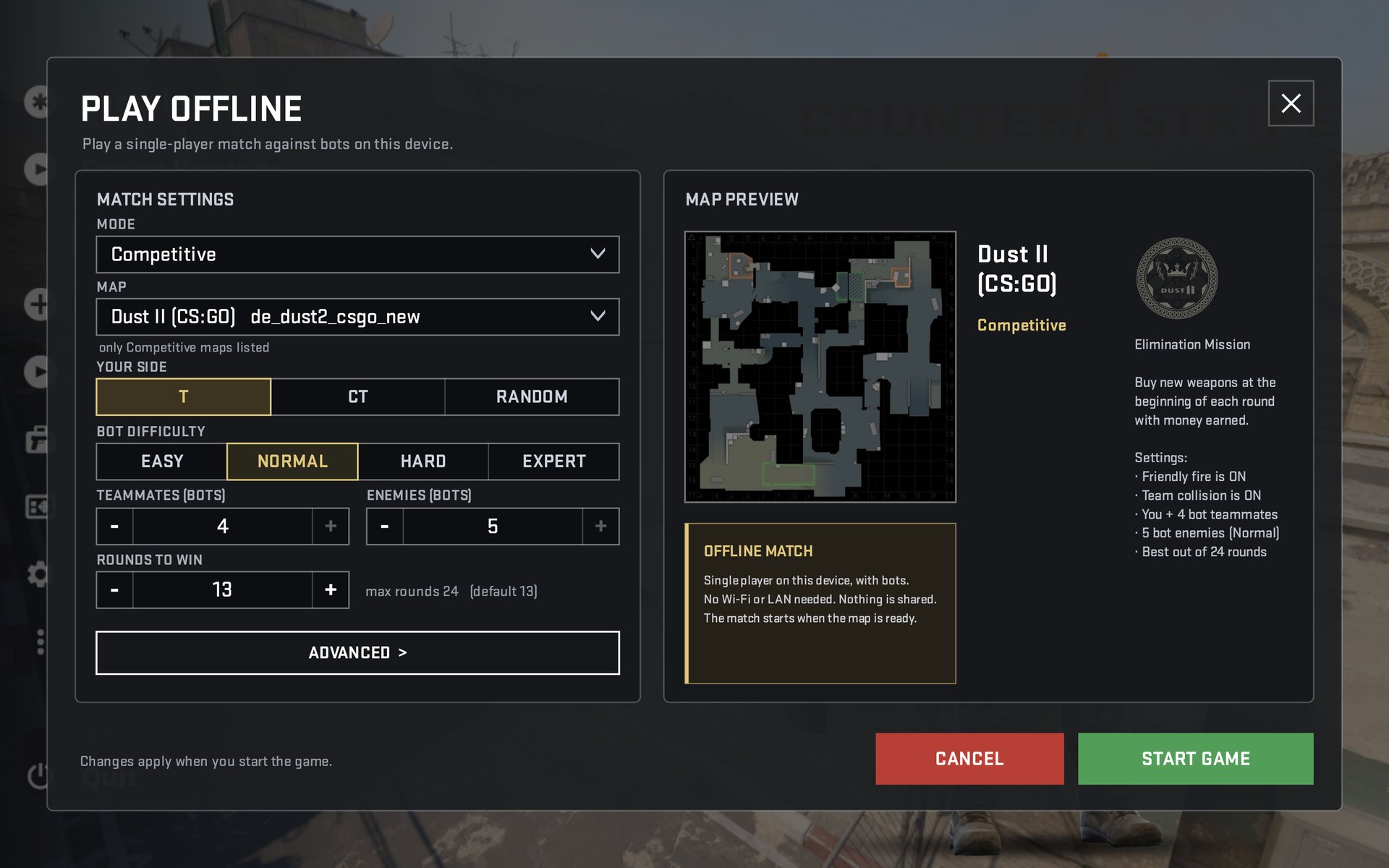
| Play Offline | A match against bots on this device: mode, map (filtered by mode), side T / CT / random, bot difficulty, teammates and enemies, rounds to win. |
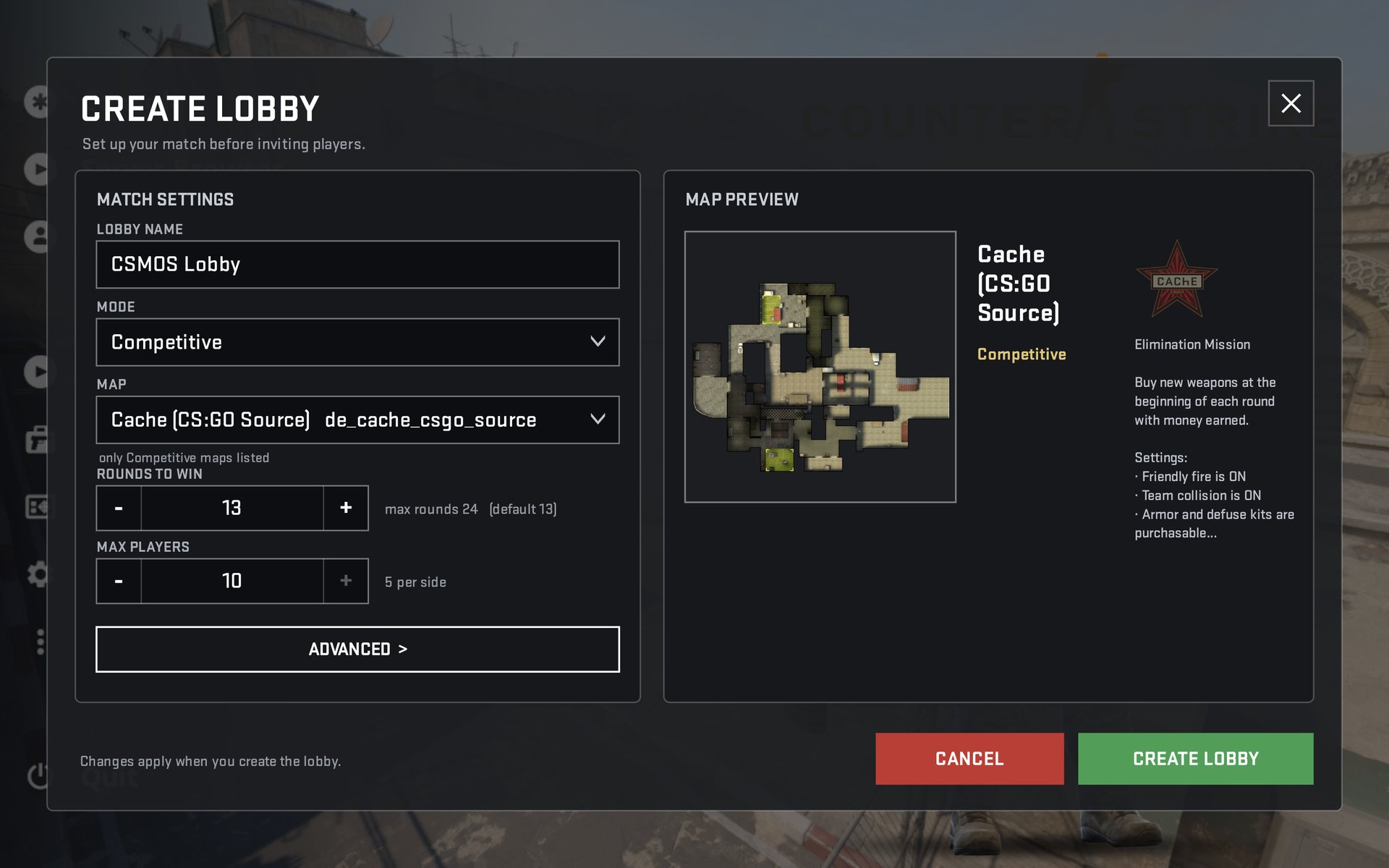
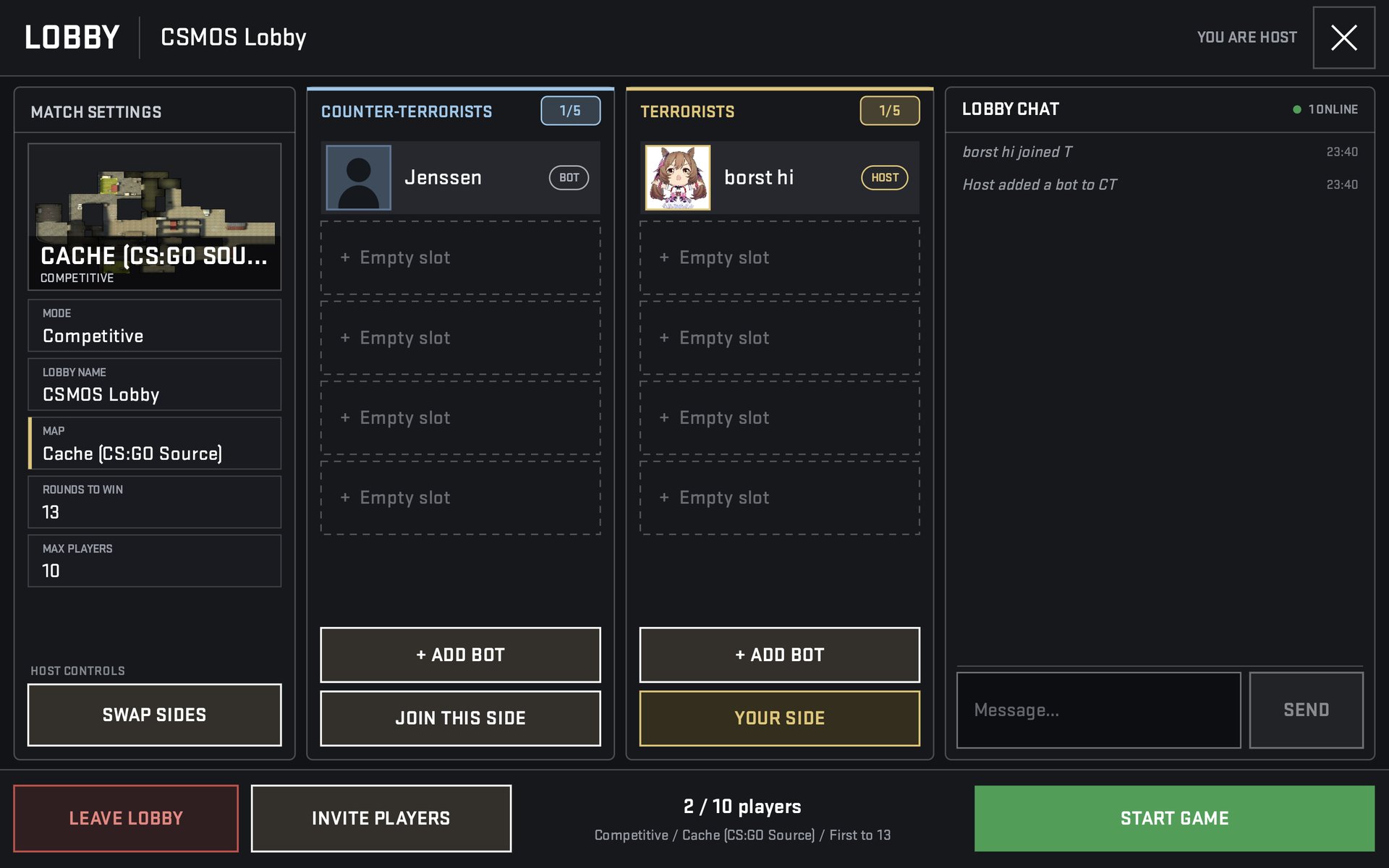
| Create Lobby | Host a LAN lobby: name, mode, map, rounds, max players (5 per side, 2 in Wingman). Opens the lobby room with sides, ADD BOT, SWAP SIDES, lobby chat, INVITE PLAYERS (QR) and START GAME once teams are balanced. |
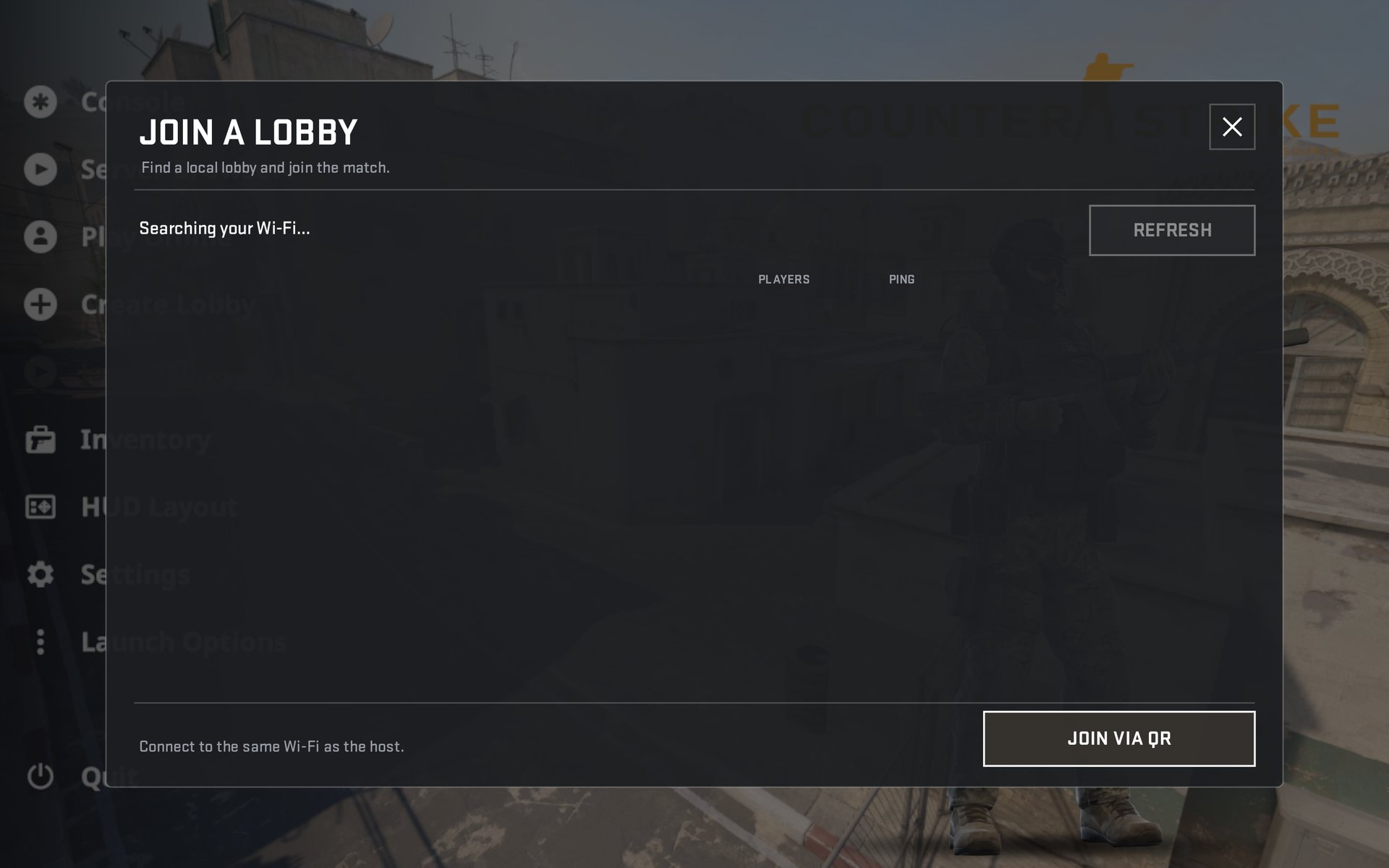
| Join a Lobby | Finds lobbies on your Wi-Fi automatically (players and ping), REFRESH, and JOIN VIA QR with the camera scanner. |
| Inventory | The loadout screen. Picks like M4A4 / M4A1-S here also decide what the buy menu offers. |
| HUD Layout | Opens the HUD layout editor. |
| Settings | The custom eight-tab settings screen. |
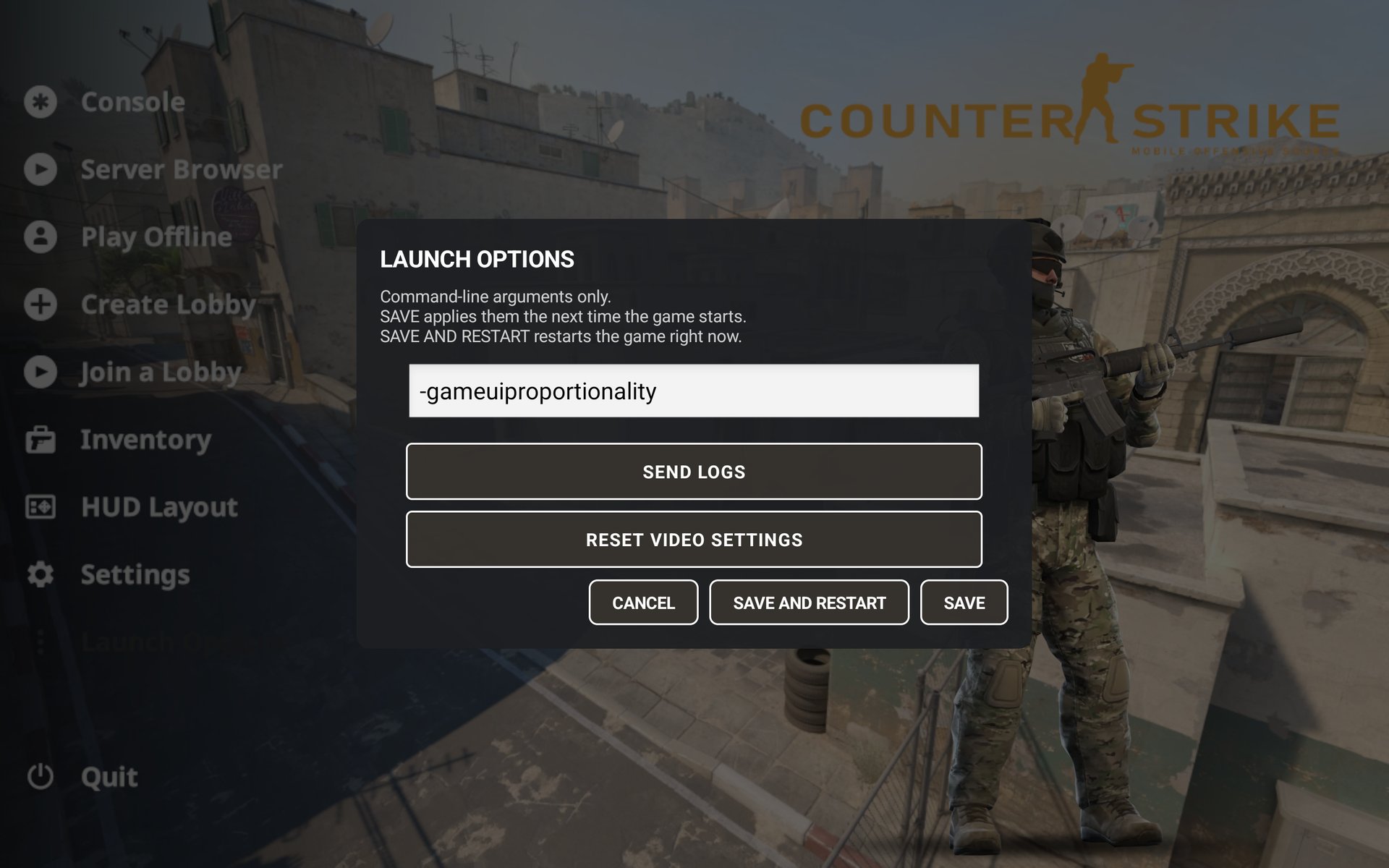
| Launch Options | Command-line arguments, SEND LOGS, RESET VIDEO SETTINGS, SAVE / SAVE AND RESTART. |
| Quit | Closes the game. |
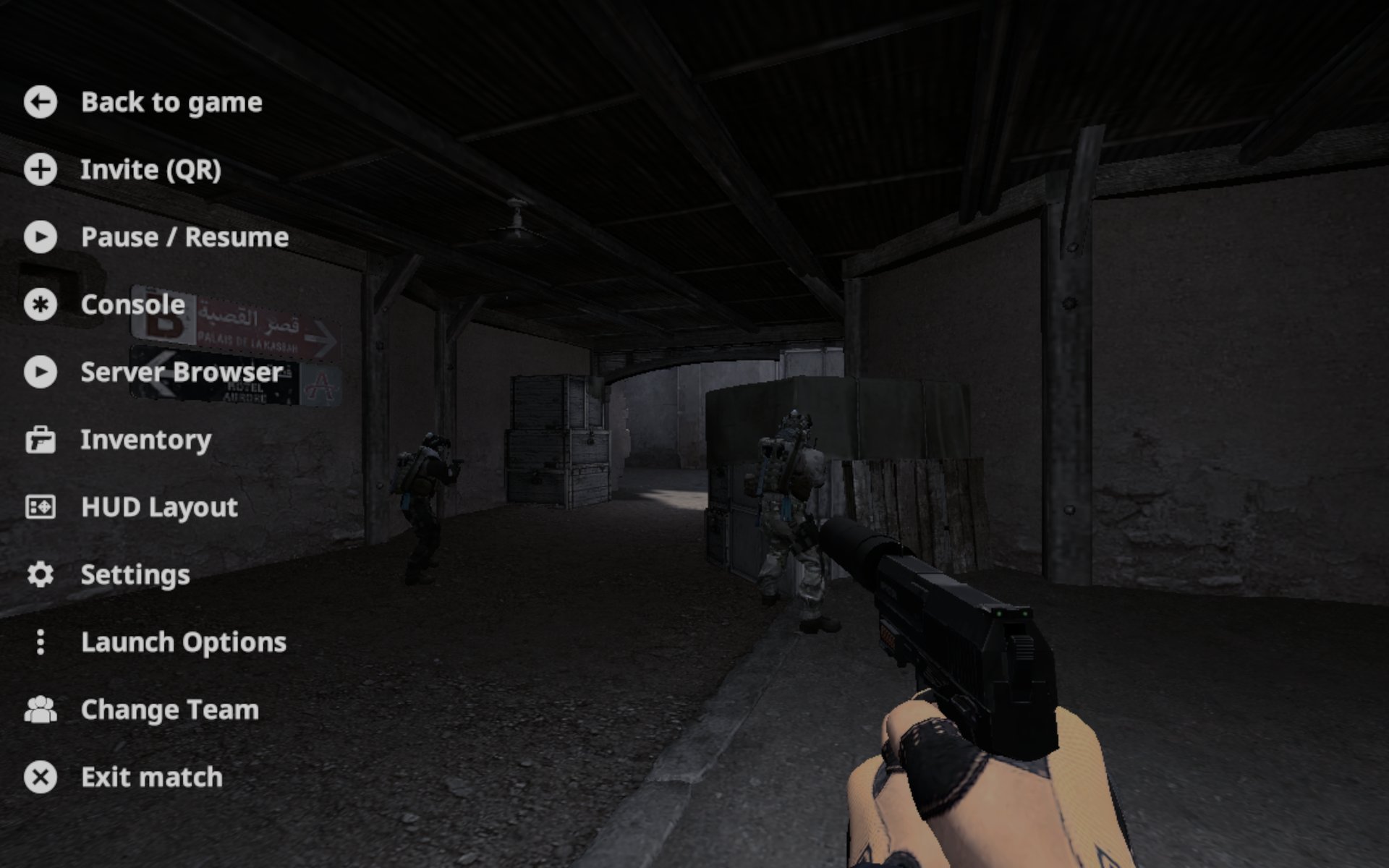
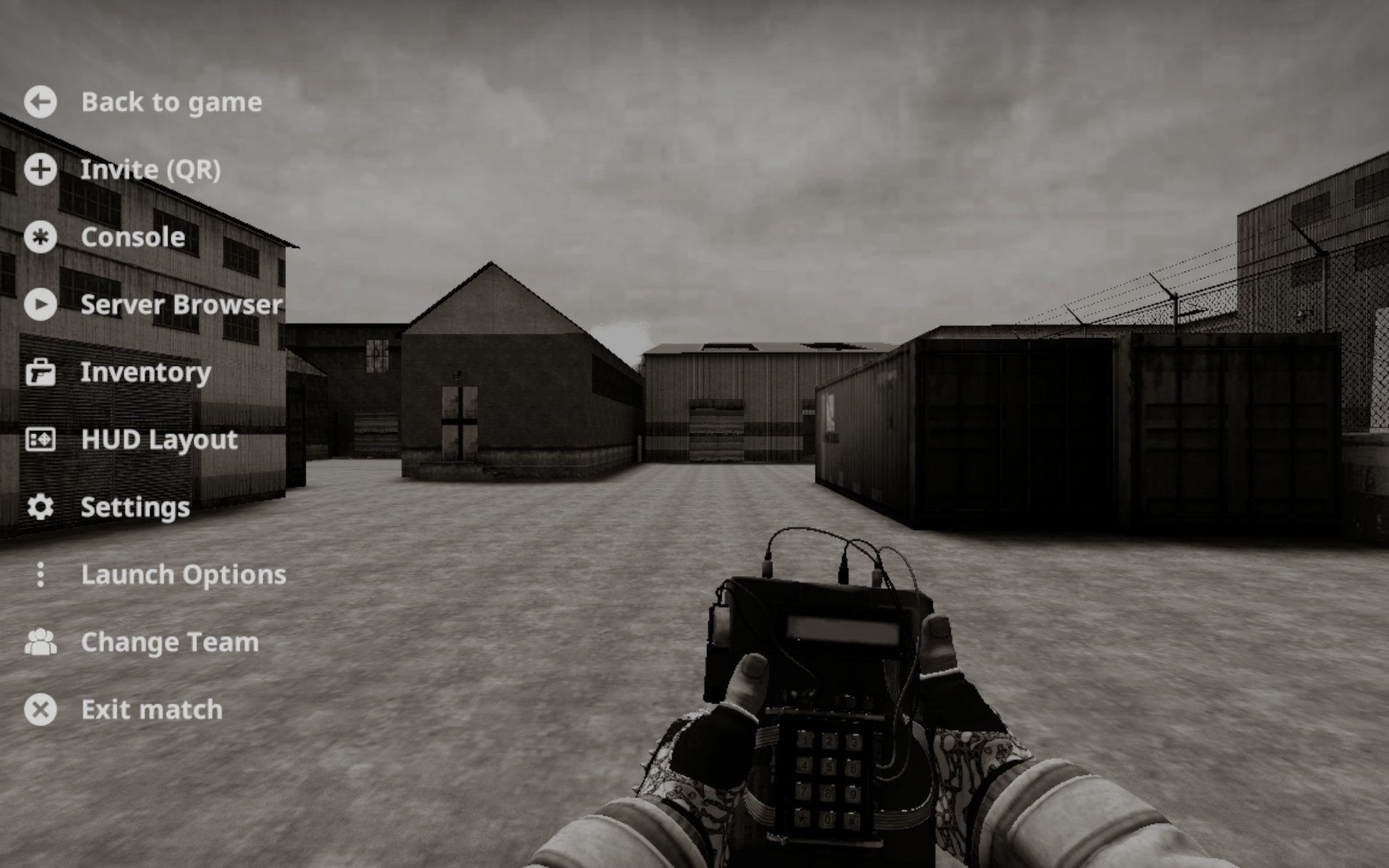
In-game menu
The gear button opens: Back to game, Invite (QR), Pause / Resume (Play Offline only), Console, Server Browser, Inventory, HUD Layout, Settings, Launch Options, Change Team, Exit match.
Settings
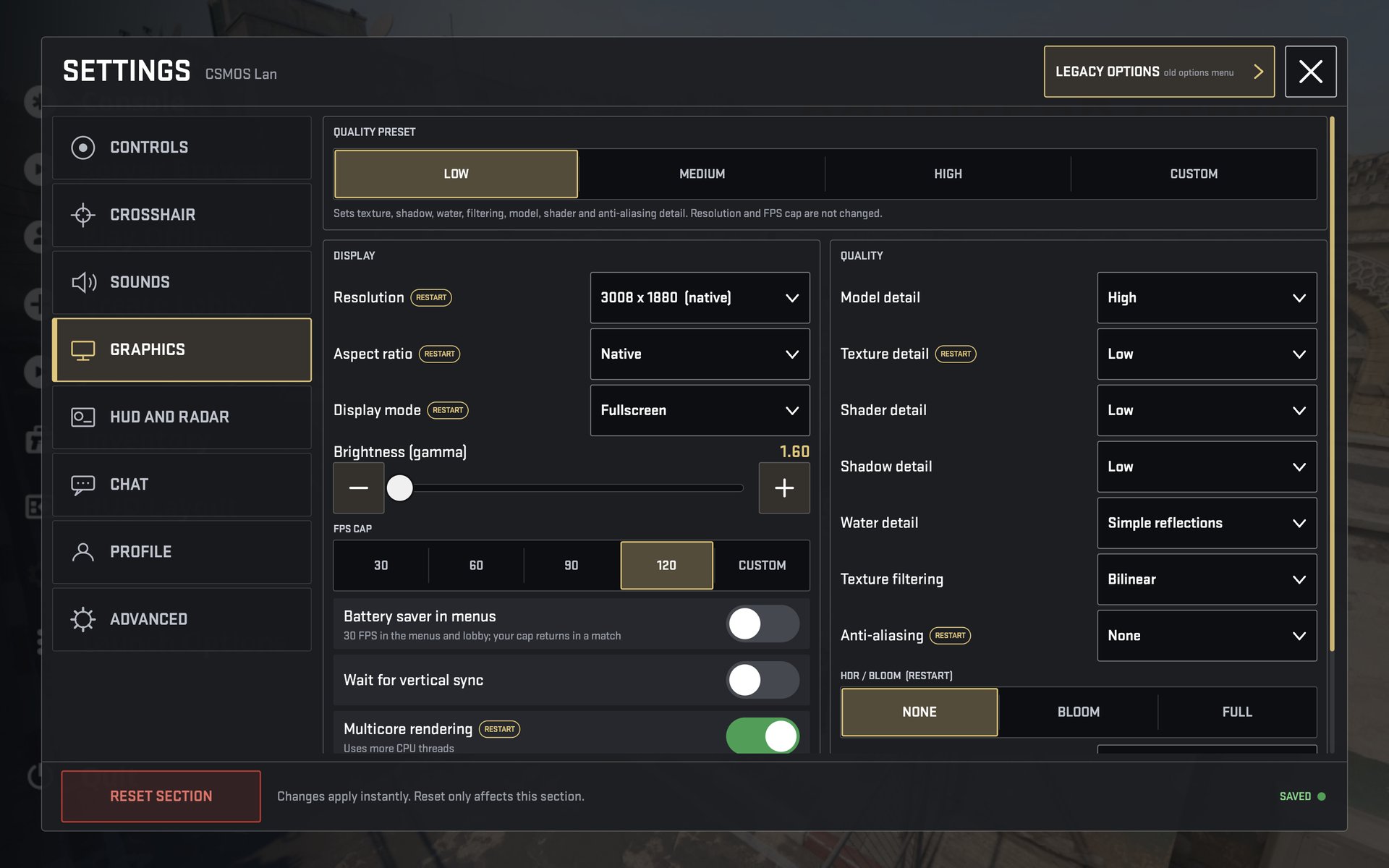
Changes apply instantly. RESET SECTION resets only the open tab, and LEGACY OPTIONS opens the game's old options menu.
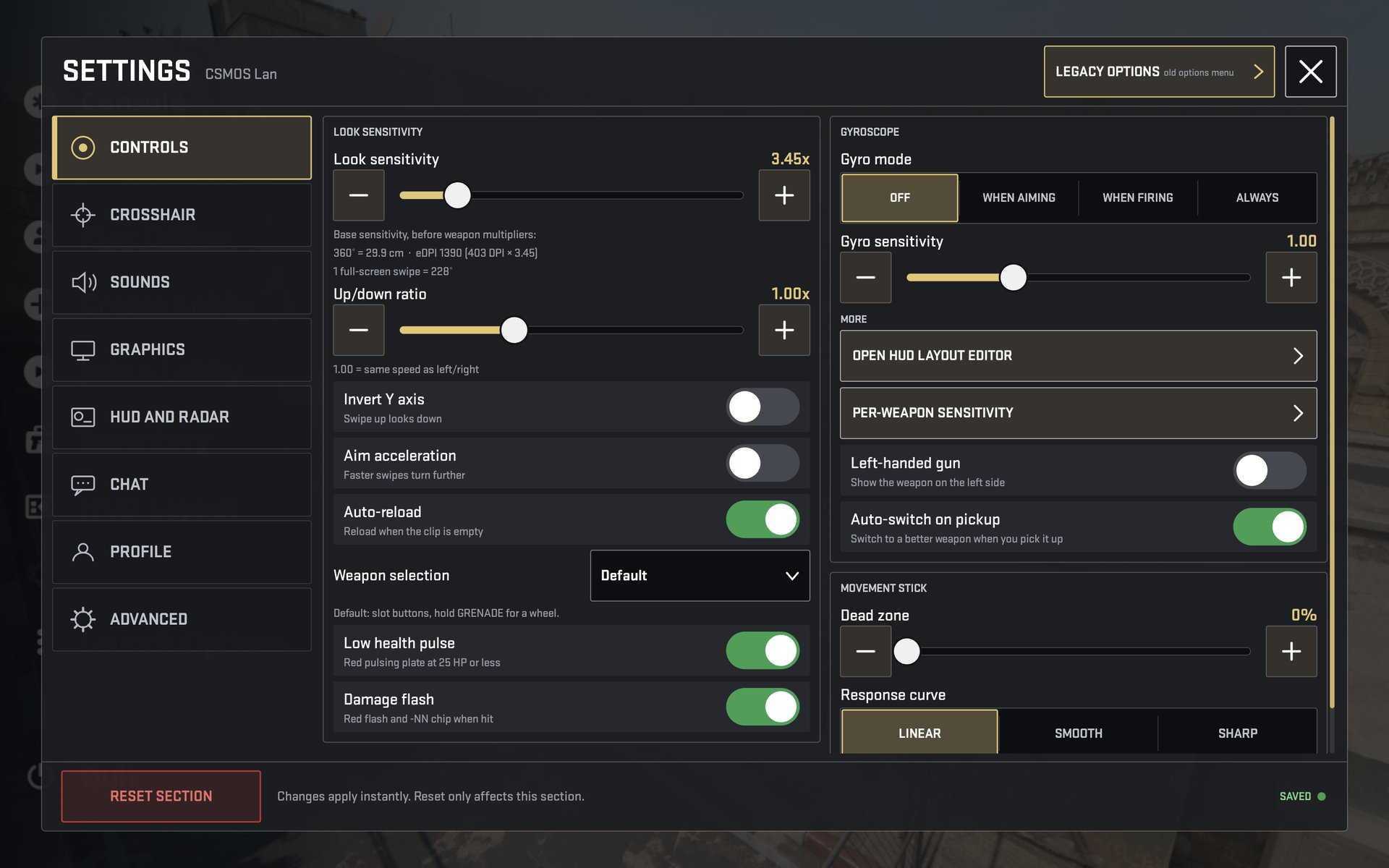
Look sensitivity with 360° distance and eDPI, up/down ratio, invert Y, aim acceleration. Auto-reload, weapon selection mode, low-health pulse, damage flash. Gyroscope off / aiming / firing / always. HUD editor shortcut, per-weapon sensitivity, left-handed gun. Movement stick dead zone and response curve.
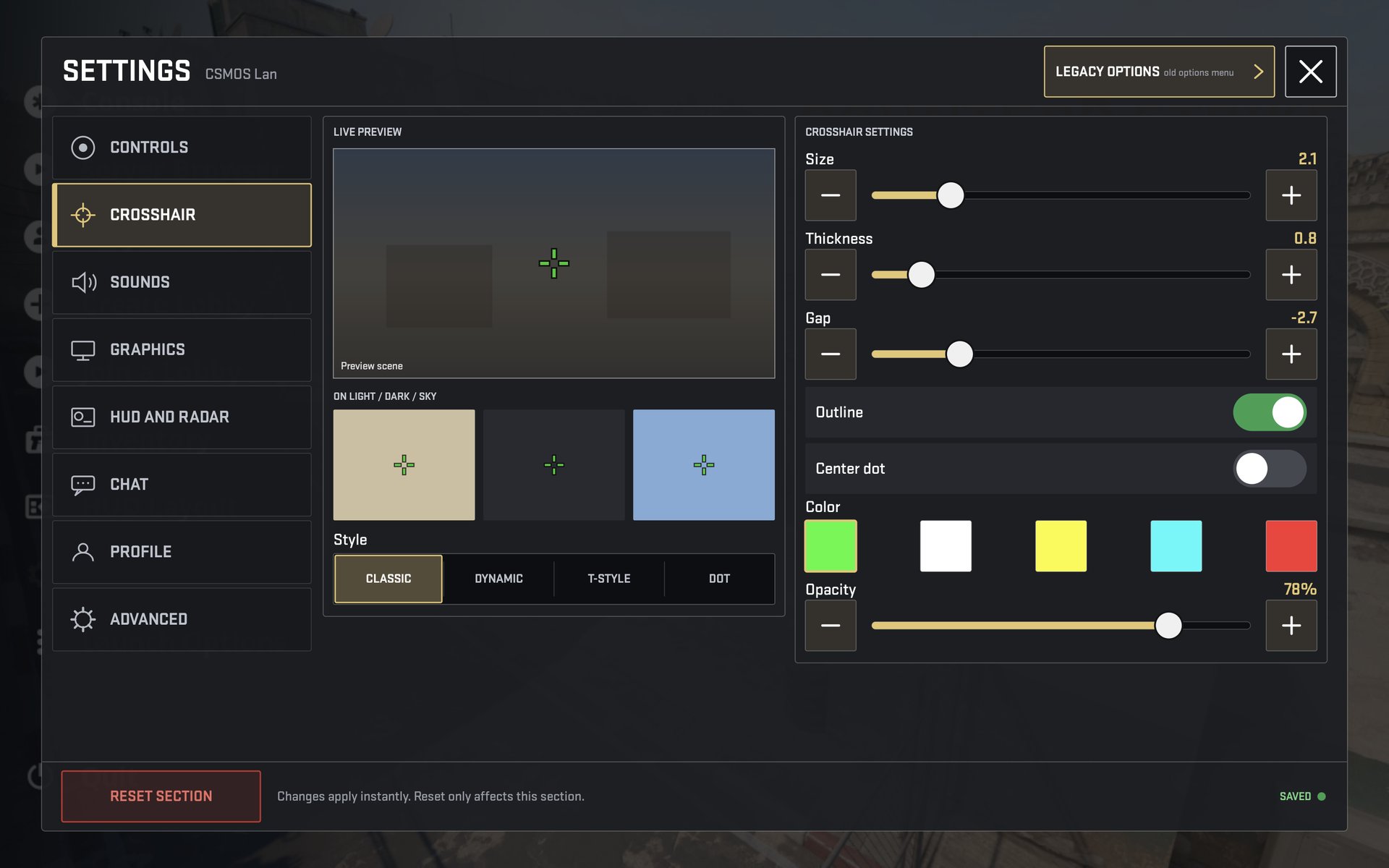
Live preview on light, dark and sky backgrounds. Style classic / dynamic / T-style / dot; size, thickness, gap, outline, centre dot, colour, opacity.
Presets LOW / MEDIUM / HIGH / CUSTOM, resolution, aspect ratio, display mode, brightness. FPS cap 30 / 60 / 90 / 120 / custom, battery saver in menus, v-sync, multicore rendering, model / texture / shader / shadow / water detail, filtering, anti-aliasing, HDR and bloom.
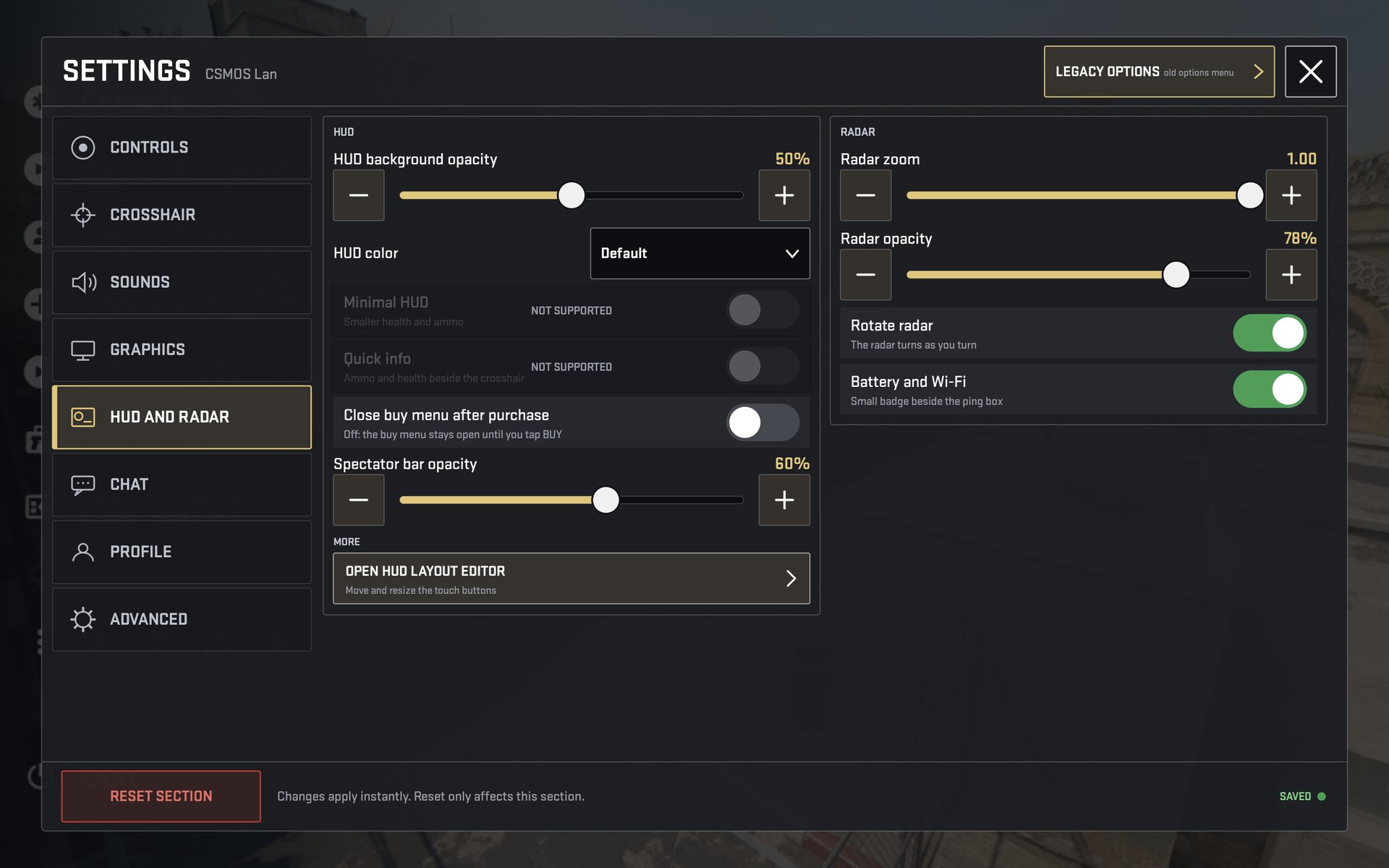
HUD background opacity and colour, close buy menu after purchase, spectator bar opacity, radar zoom / opacity / rotation, battery and Wi-Fi badge.
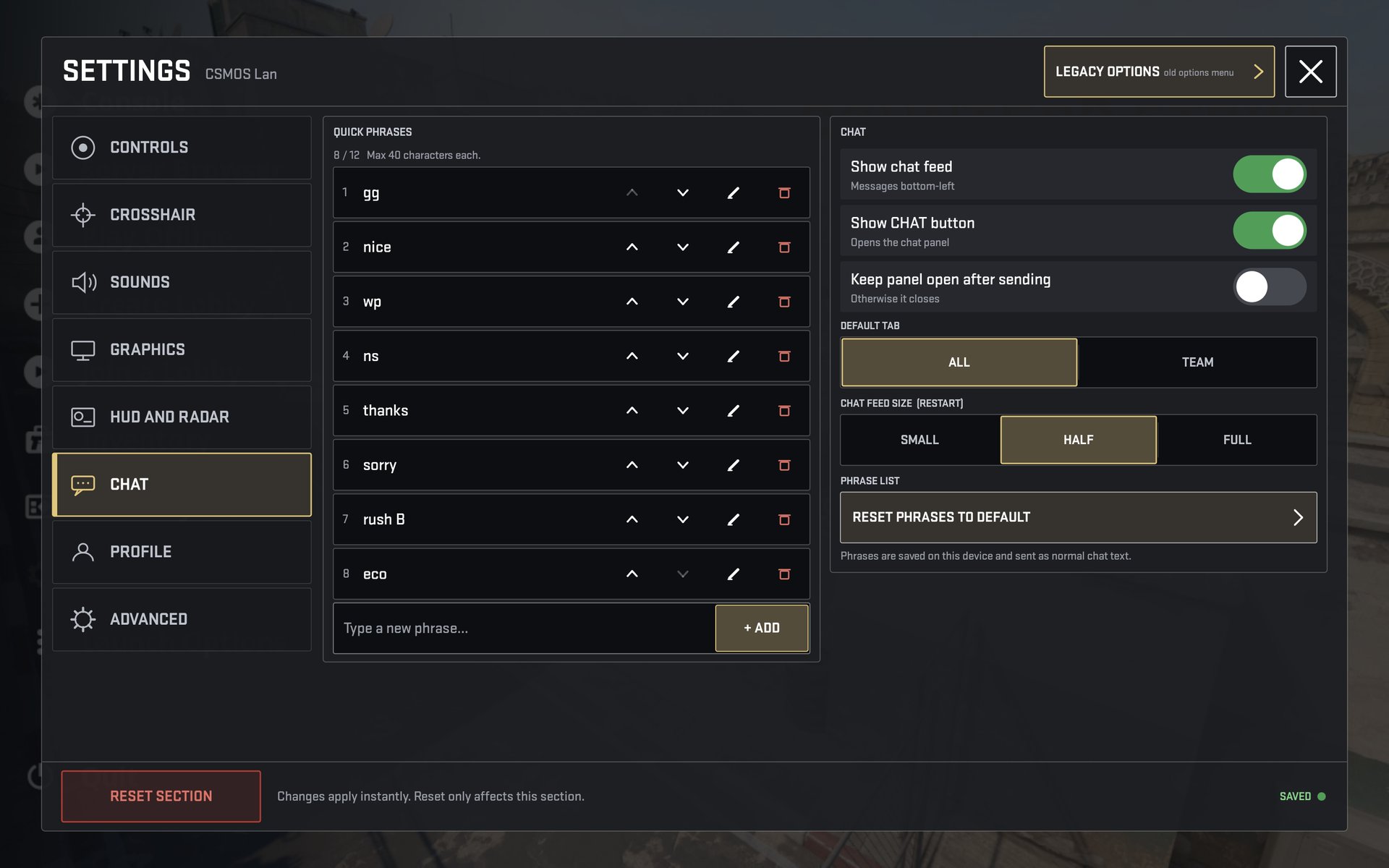
Quick phrases (add, edit, reorder, delete - up to 12), show the feed, show the CHAT button, keep the panel open, default tab ALL / TEAM, feed size SMALL / HALF / FULL.
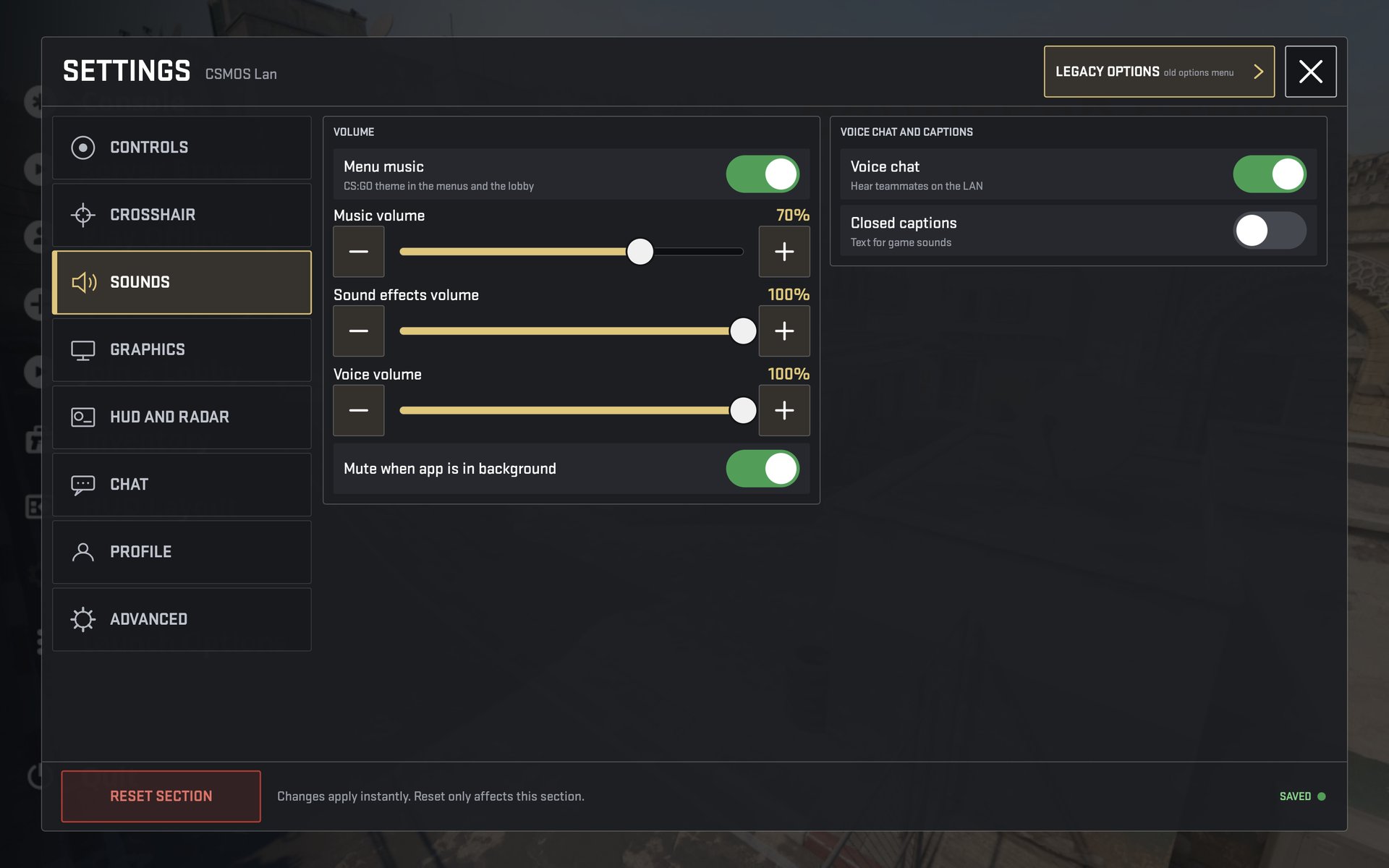
Menu music and volume, sound effects and voice, mute in the background, voice chat and closed captions.
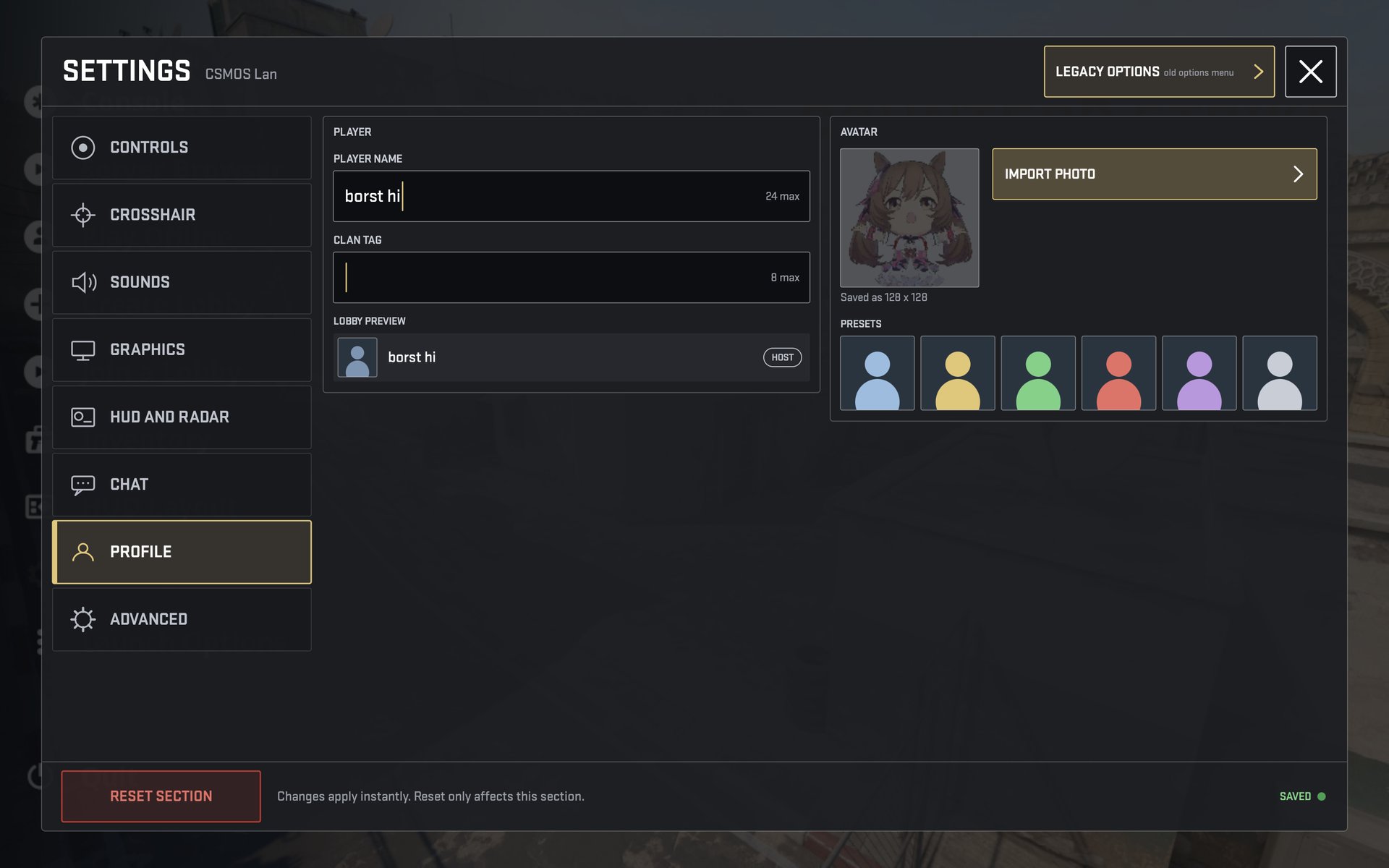
Player name and clan tag with a lobby preview; avatar from a photo or a preset.
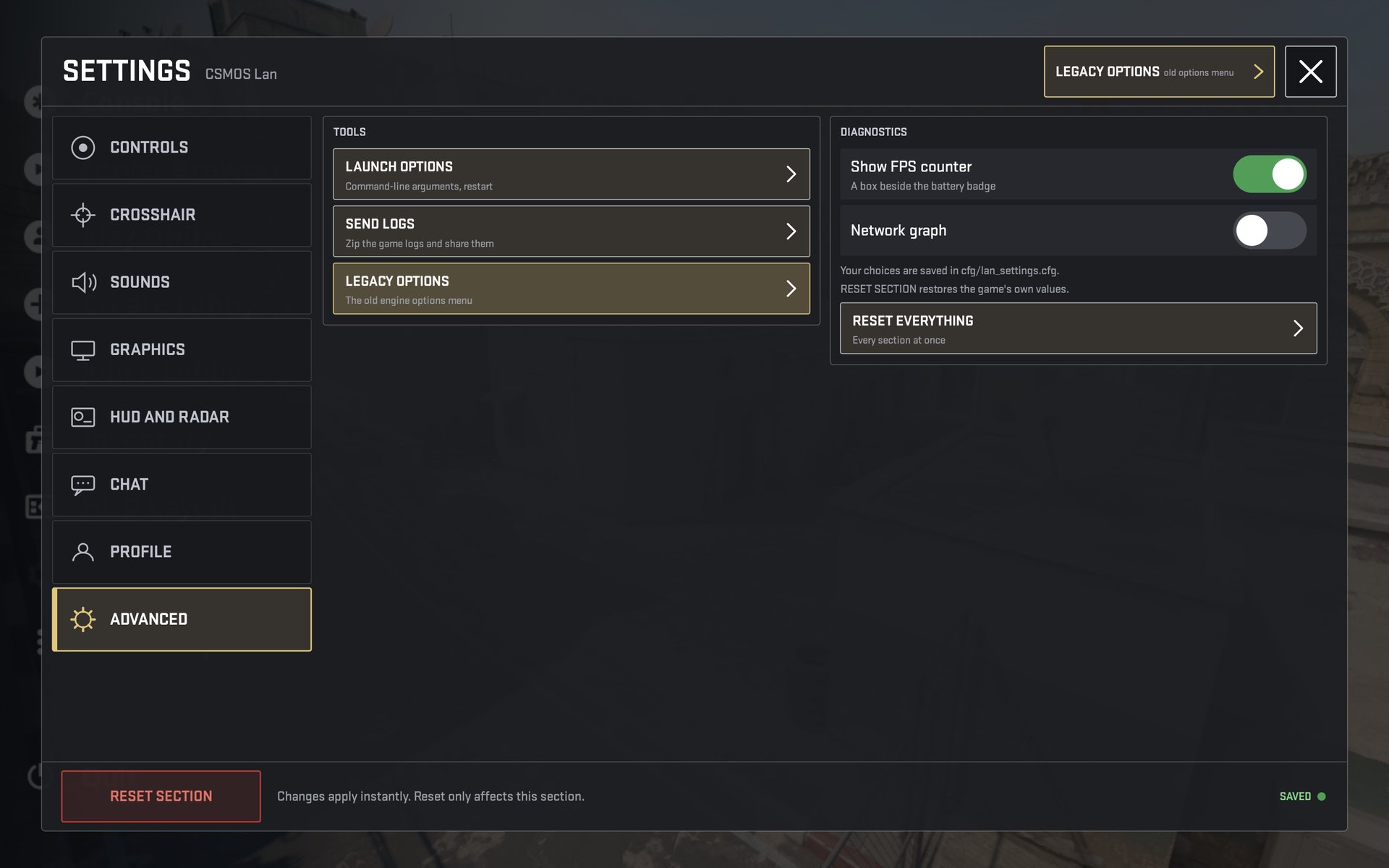
Launch options, send logs, legacy options, FPS counter, network graph, reset everything.
HUD and the HUD editor
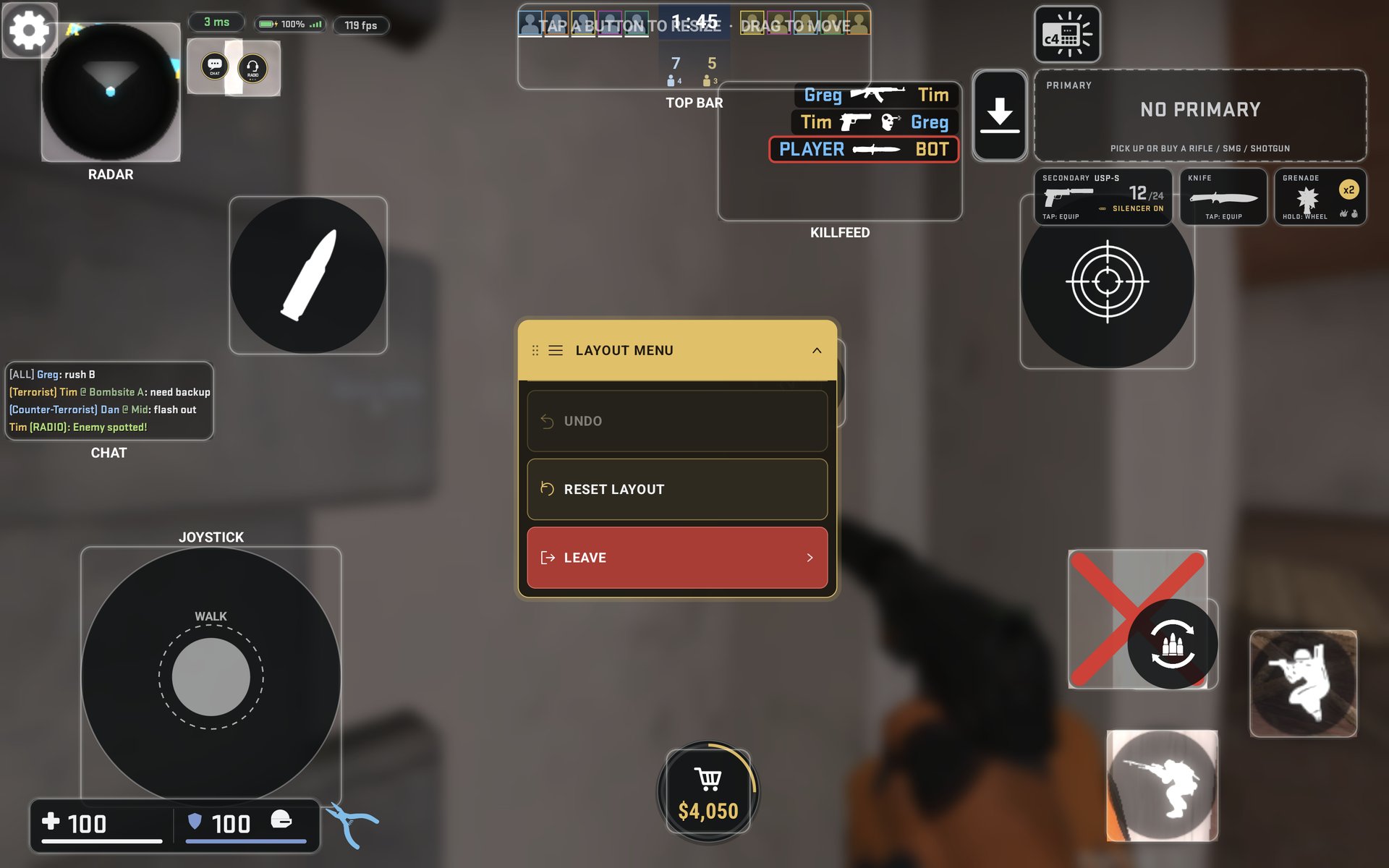
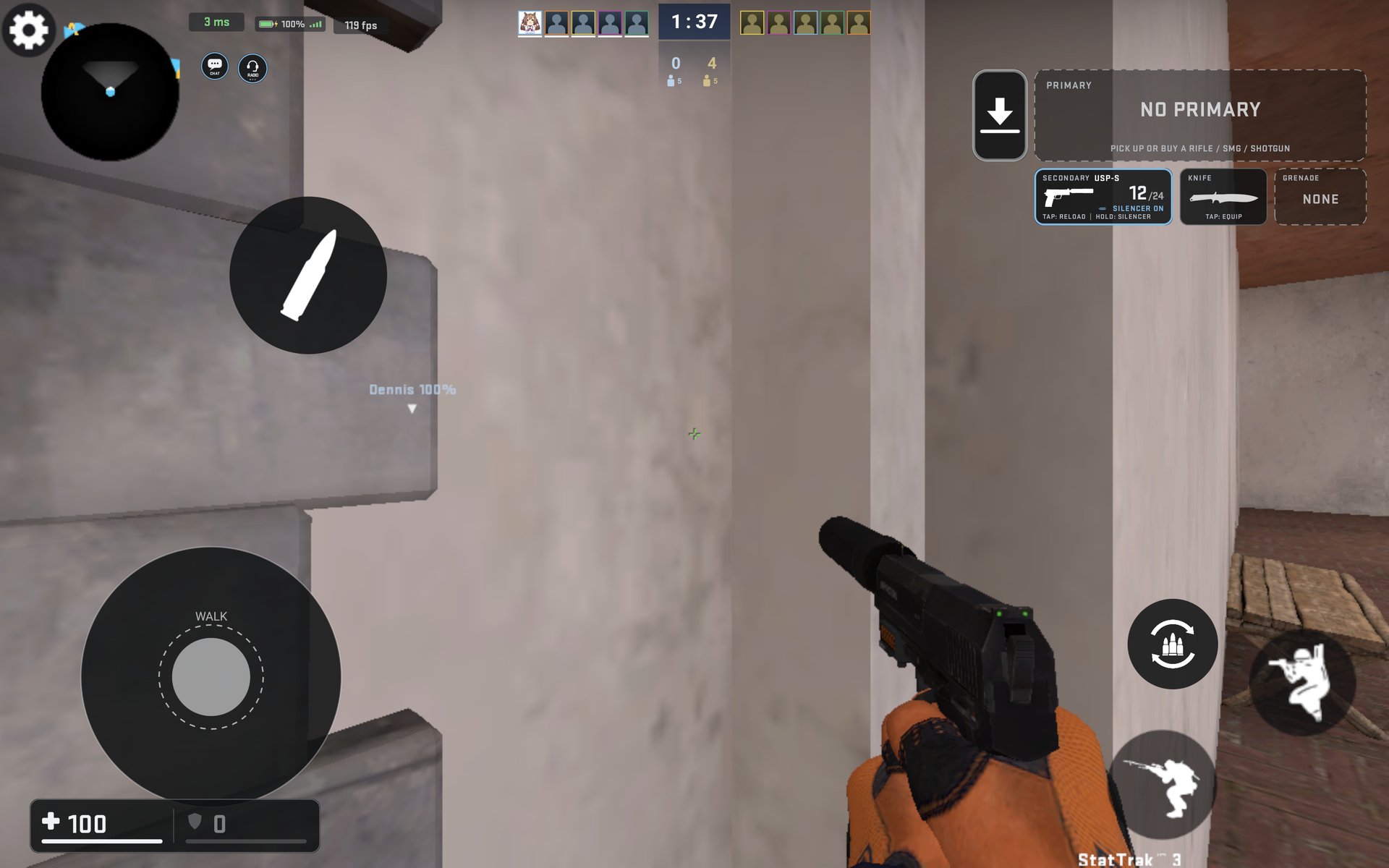
The current tablet layout: blue accent outlines for CT (orange for T), ping / battery / FPS pills, small CHAT and RADIO next to the radar, the CS2-style top bar, weapon cards, joystick and buy disc.
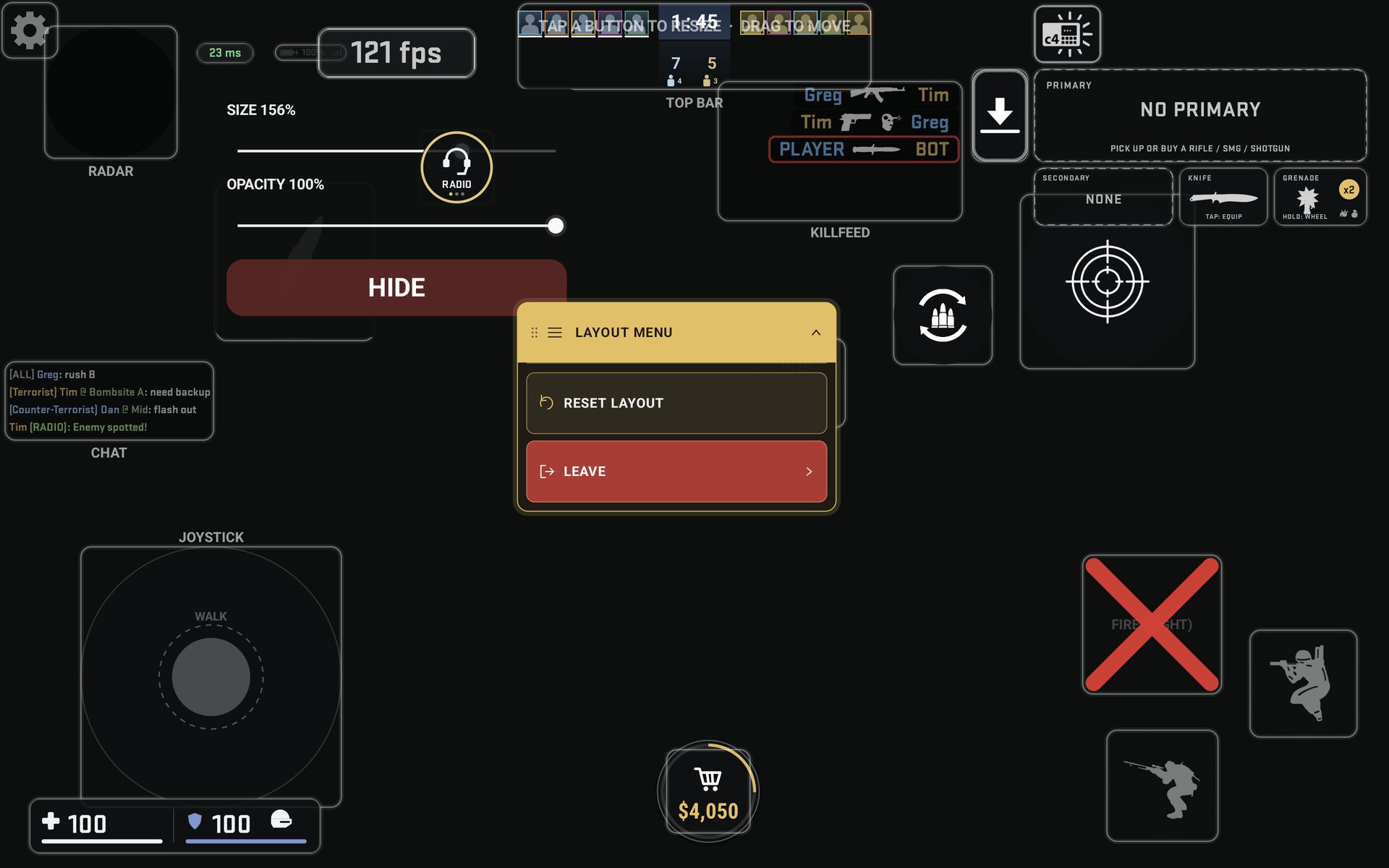
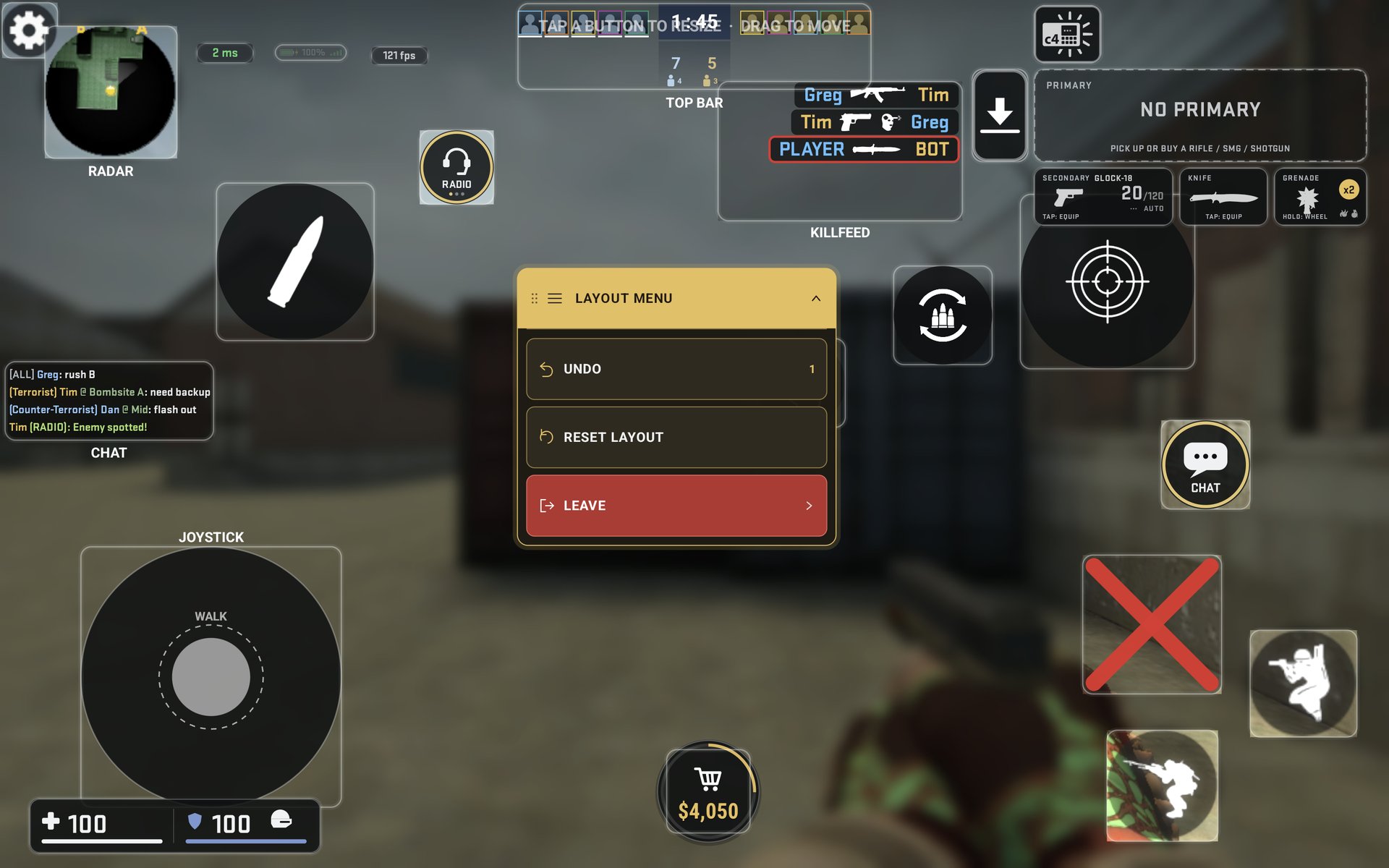
Tap a button in the editor to resize it (5-300%, RADIO and CHAT down to 20%) or change its opacity, and drag to move it. The collapsible LAYOUT MENU has UNDO (up to 20 steps), RESET LAYOUT and LEAVE. Crouch, SCOPE and the scoreboard have TOGGLE / HOLD chips. The invisible aim zone is protected while you edit.
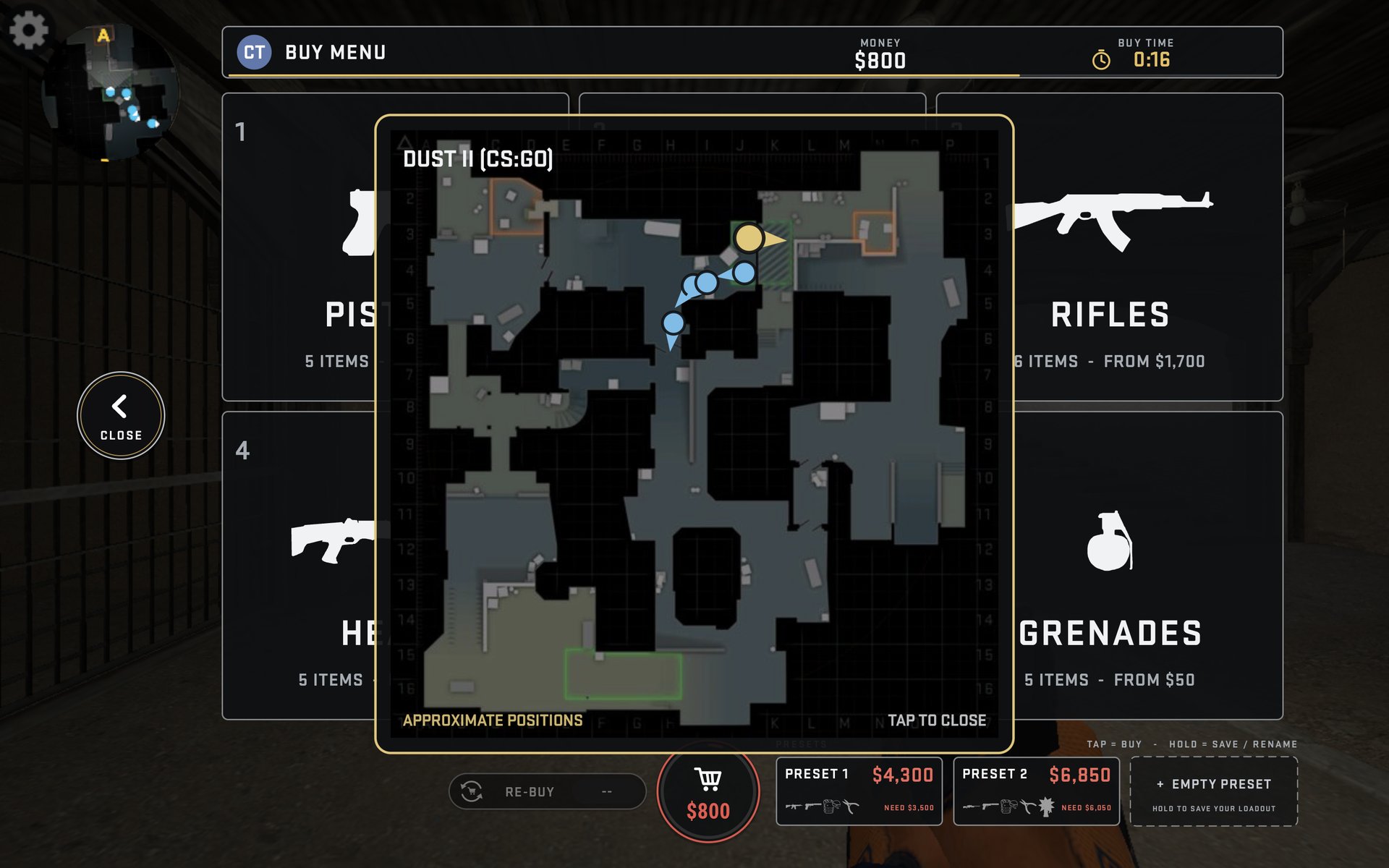
Buy menu
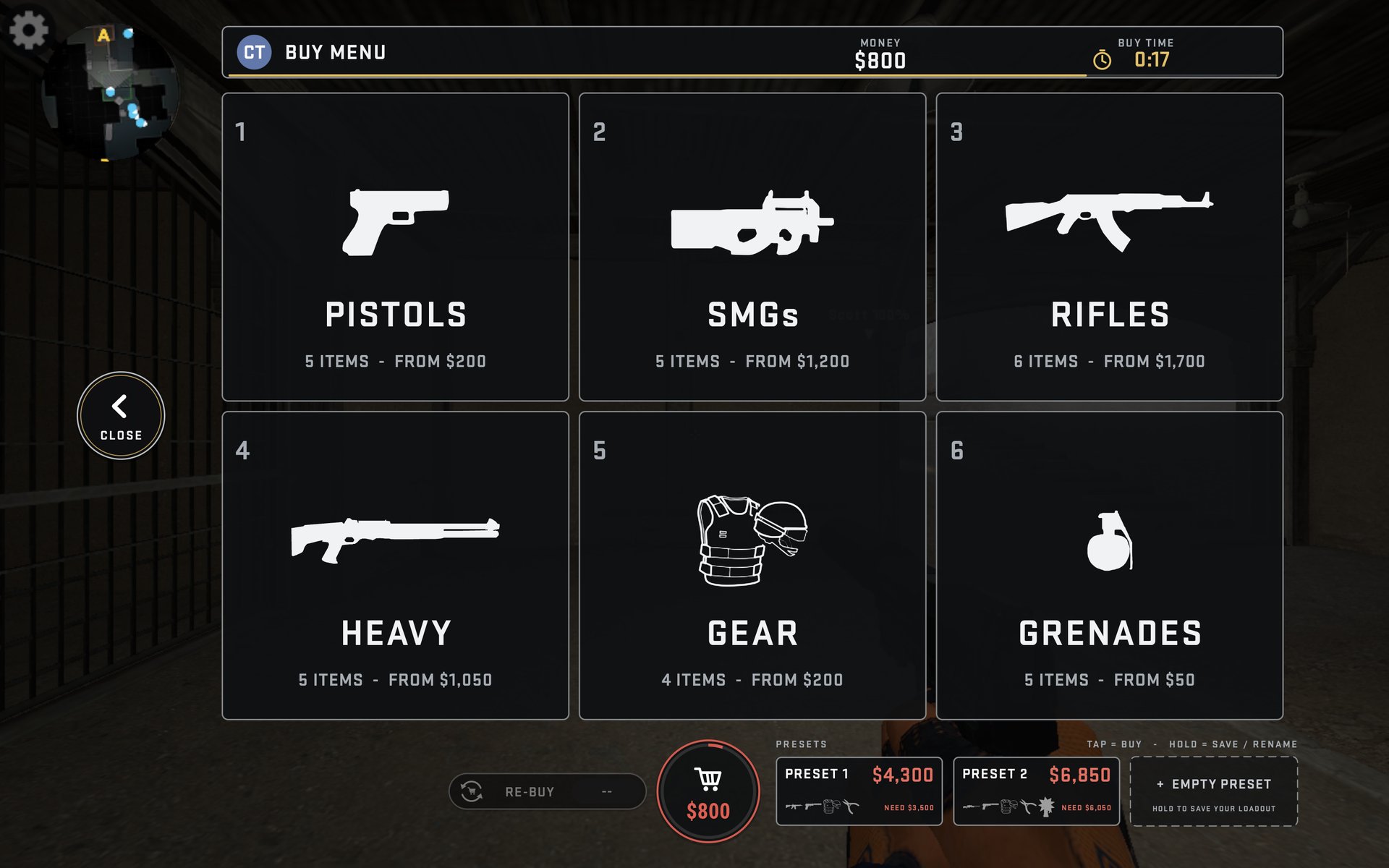
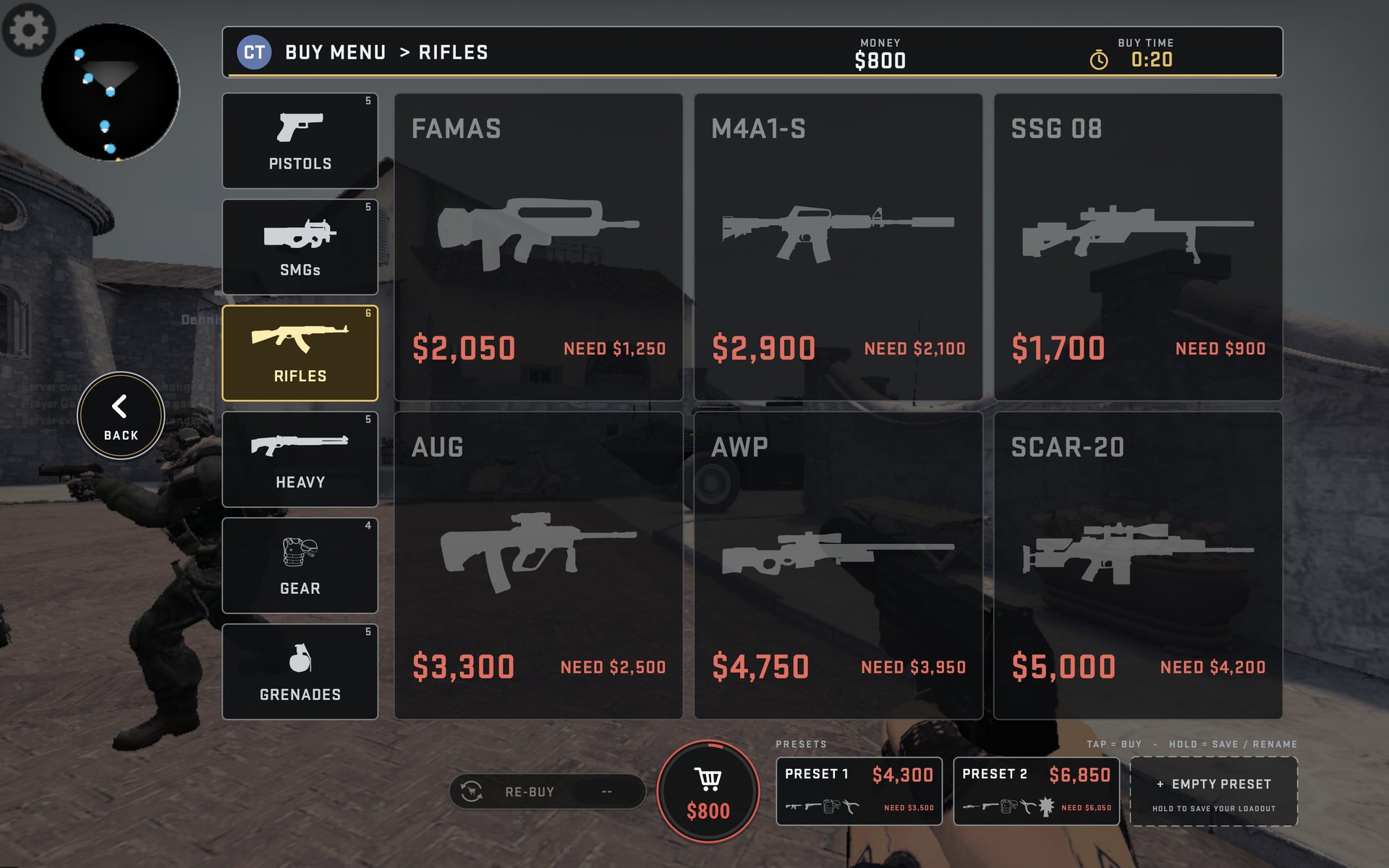
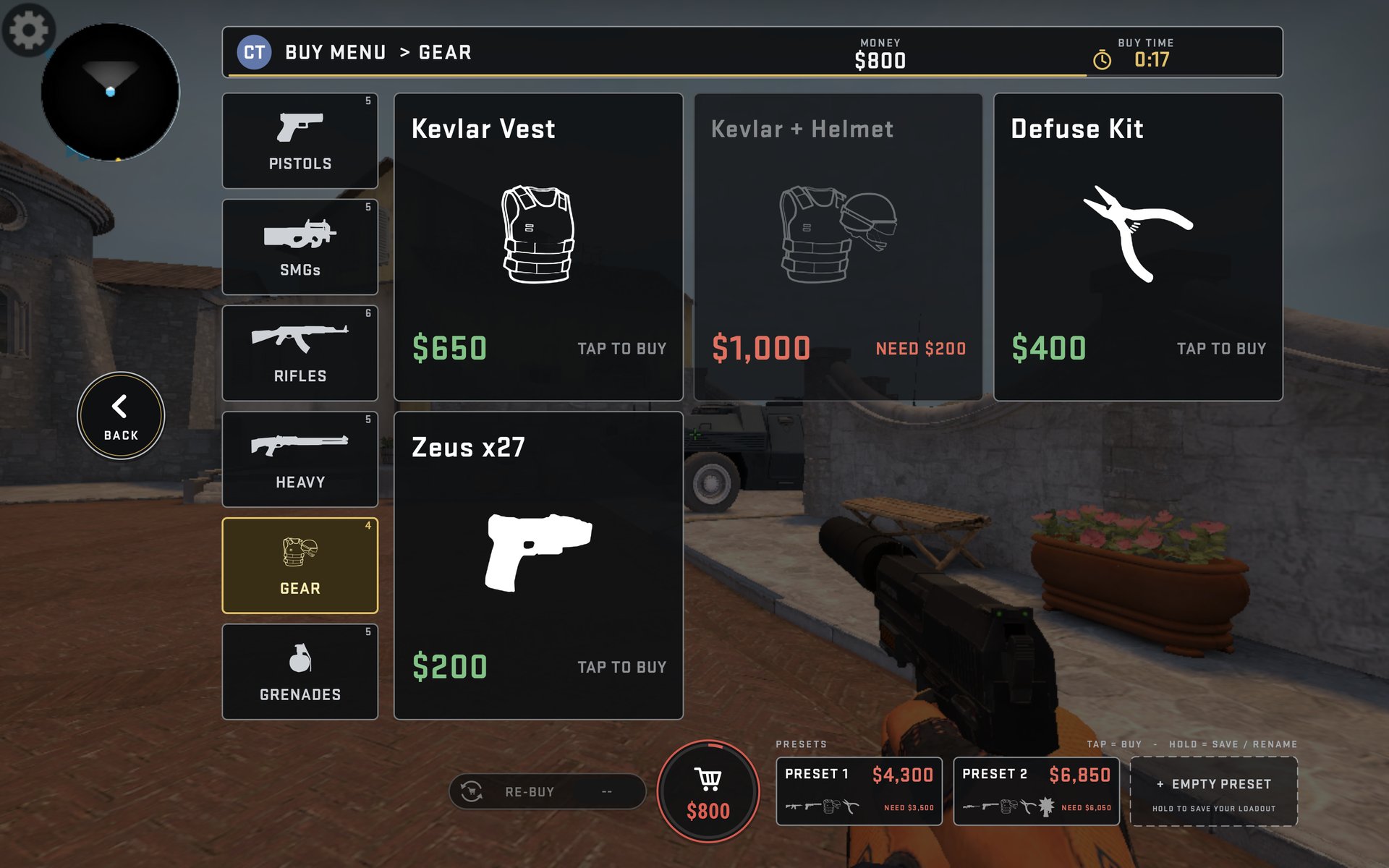
The RAIL + GRID buy menu opens the instant your finger touches BUY, with first paint about 6 ms later. It has RE-BUY, three presets per side (hold to save or rename, price in green or red), buy and can't-afford sounds, and it only shows weapons your loadout allows.
Round 10 in detail
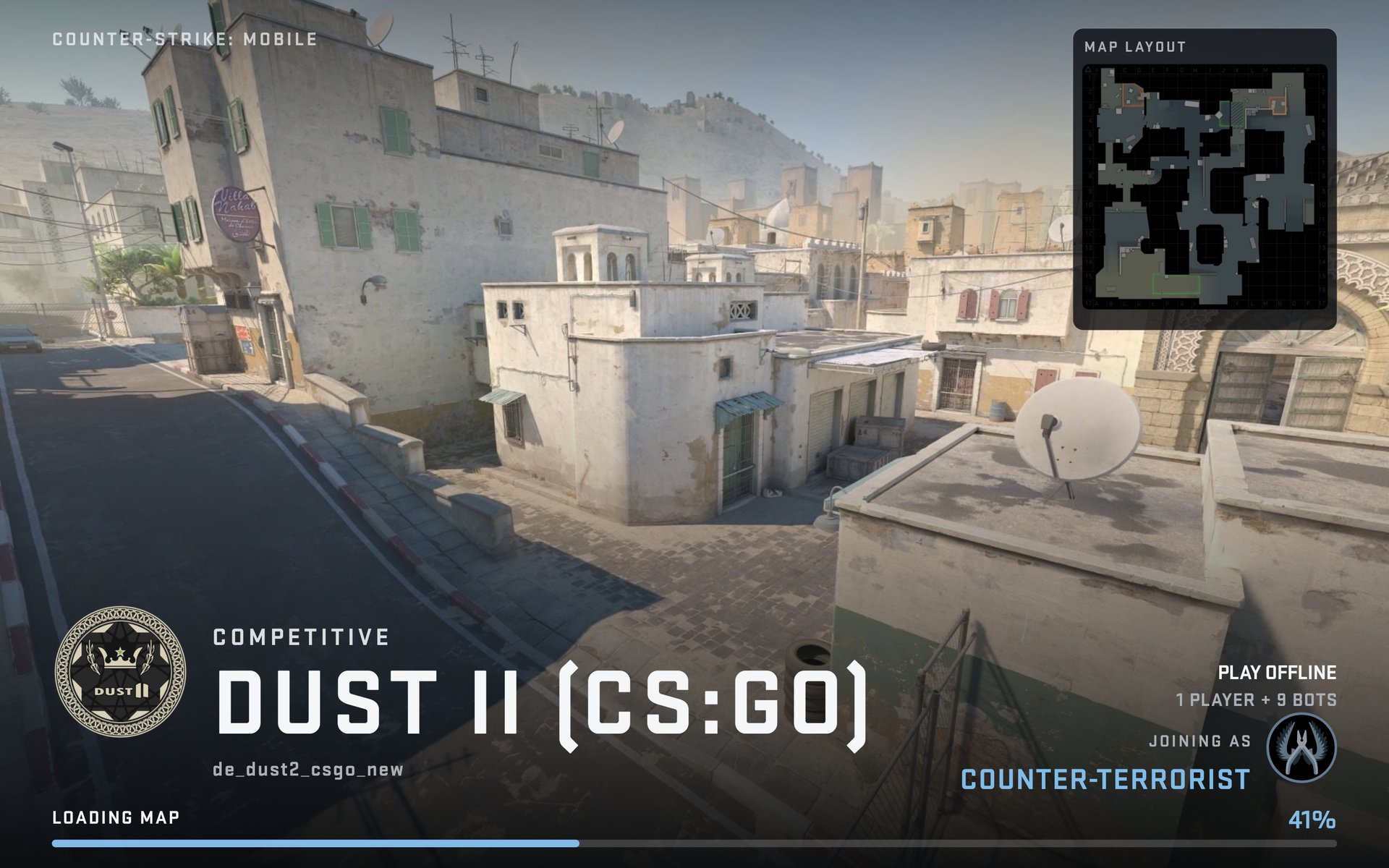
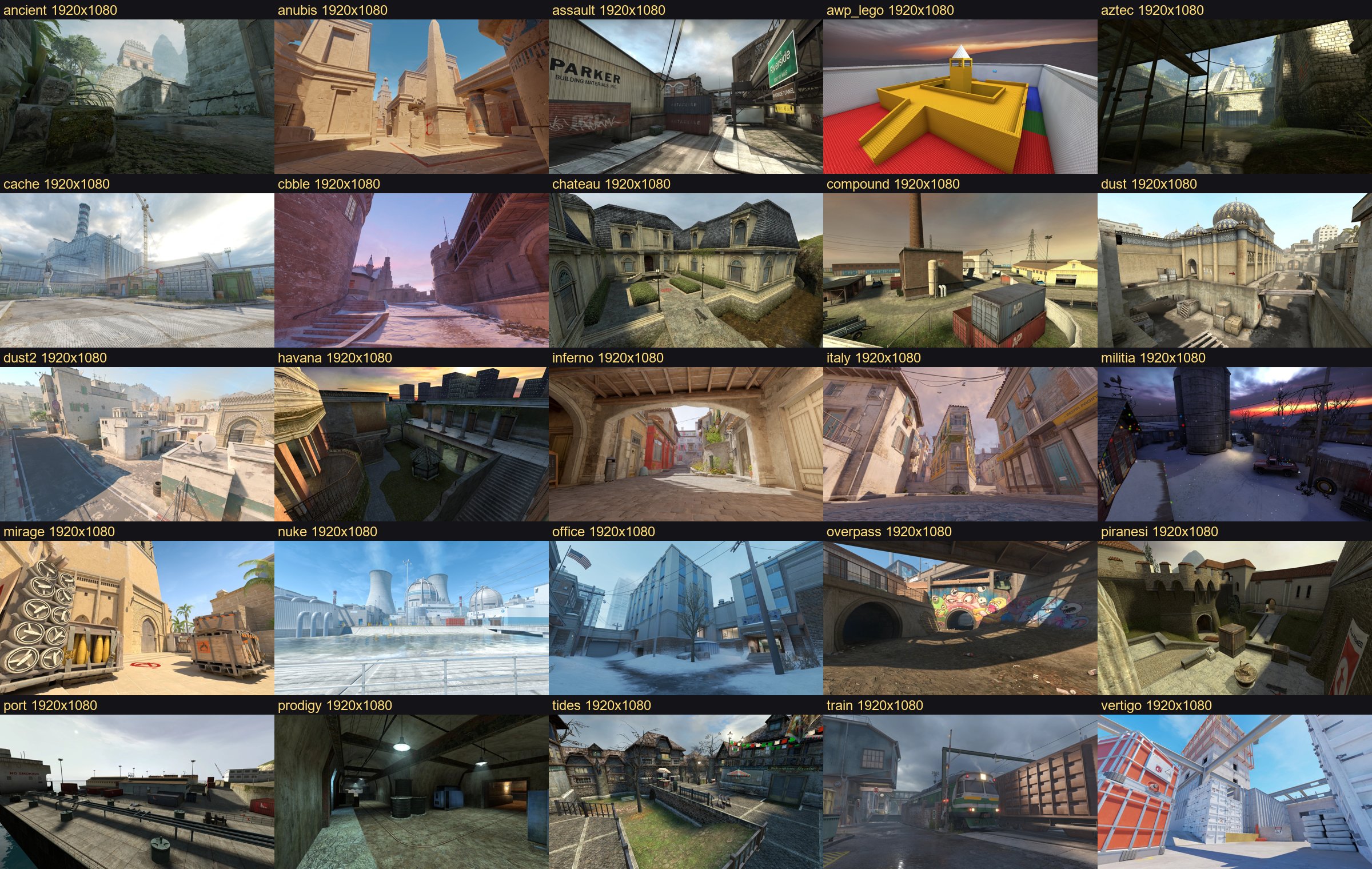
Map loading screens
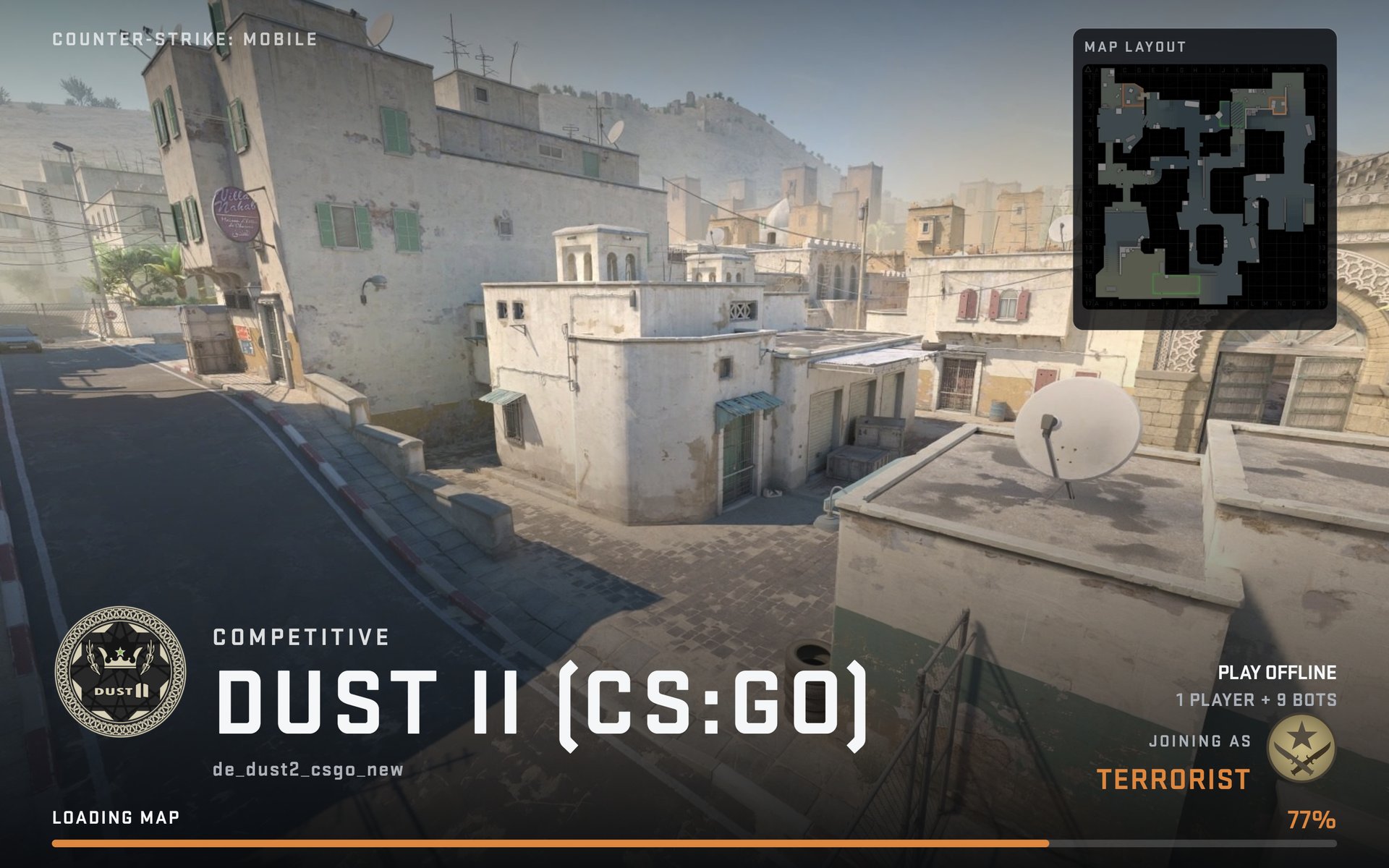
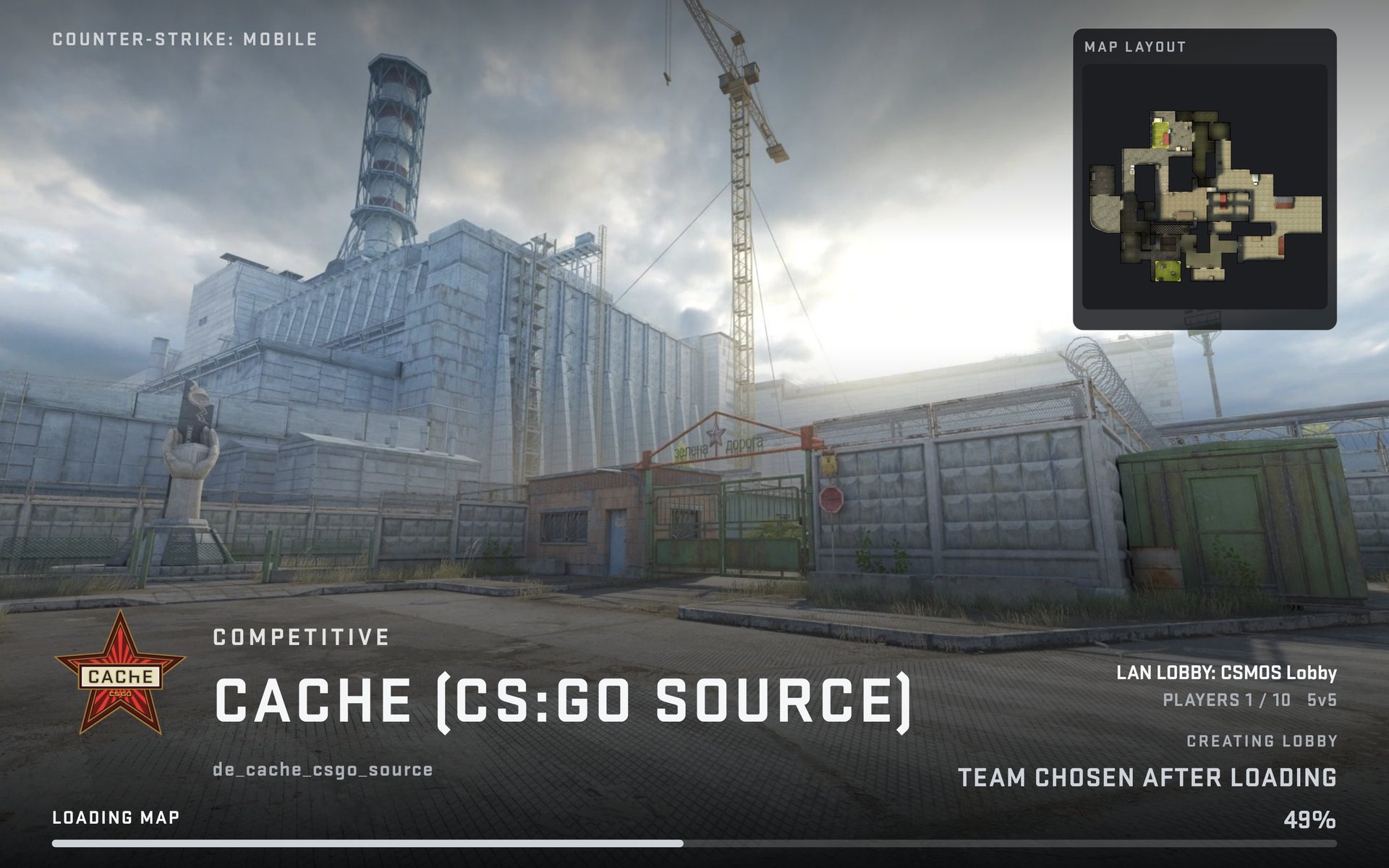
Full map art, a map badge, a layout card, mode and lobby info, and the team you join as with an emblem and a team-coloured bar. TAP TO CANCEL appears after 25 seconds. 25 map backgrounds are bundled.
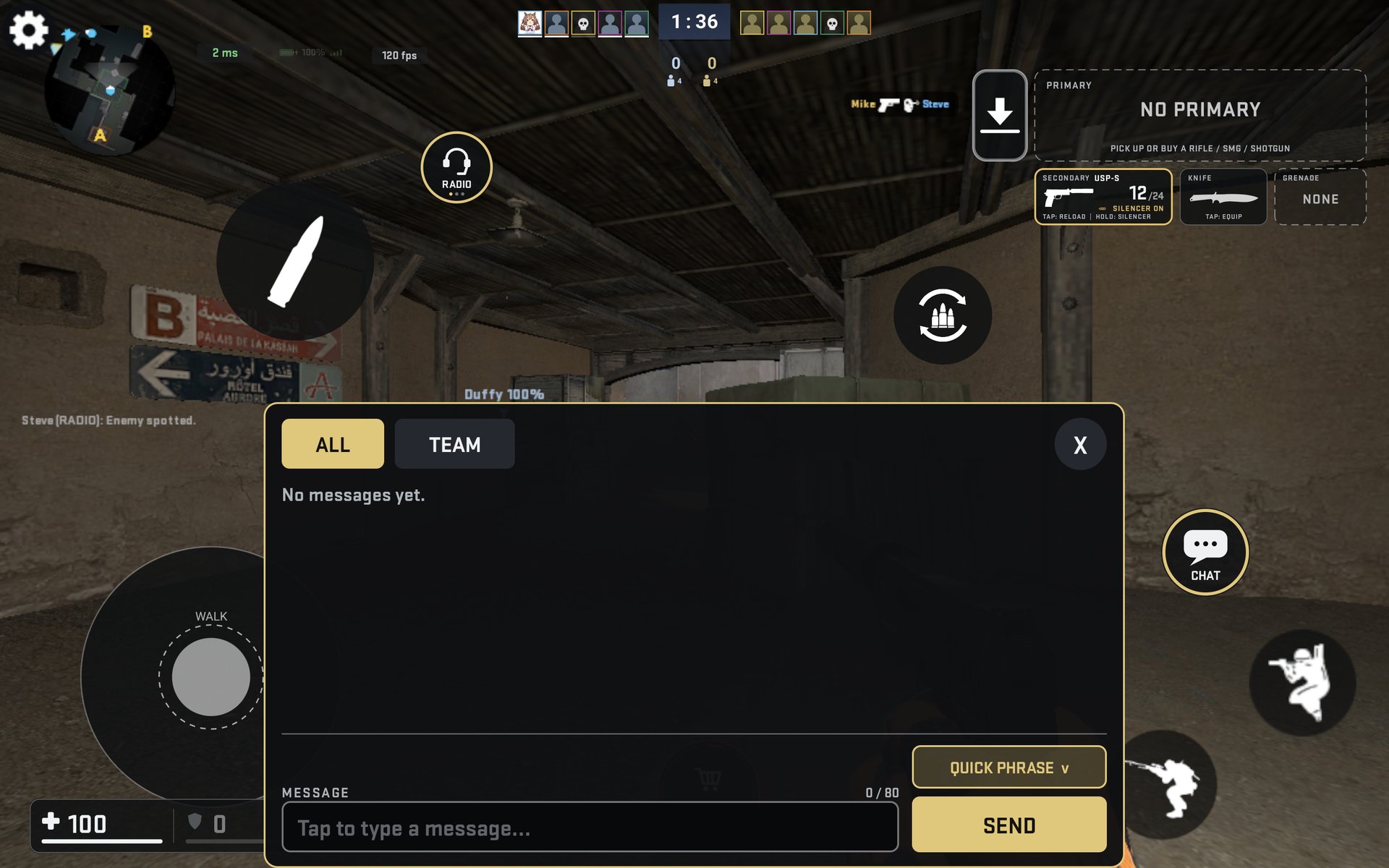
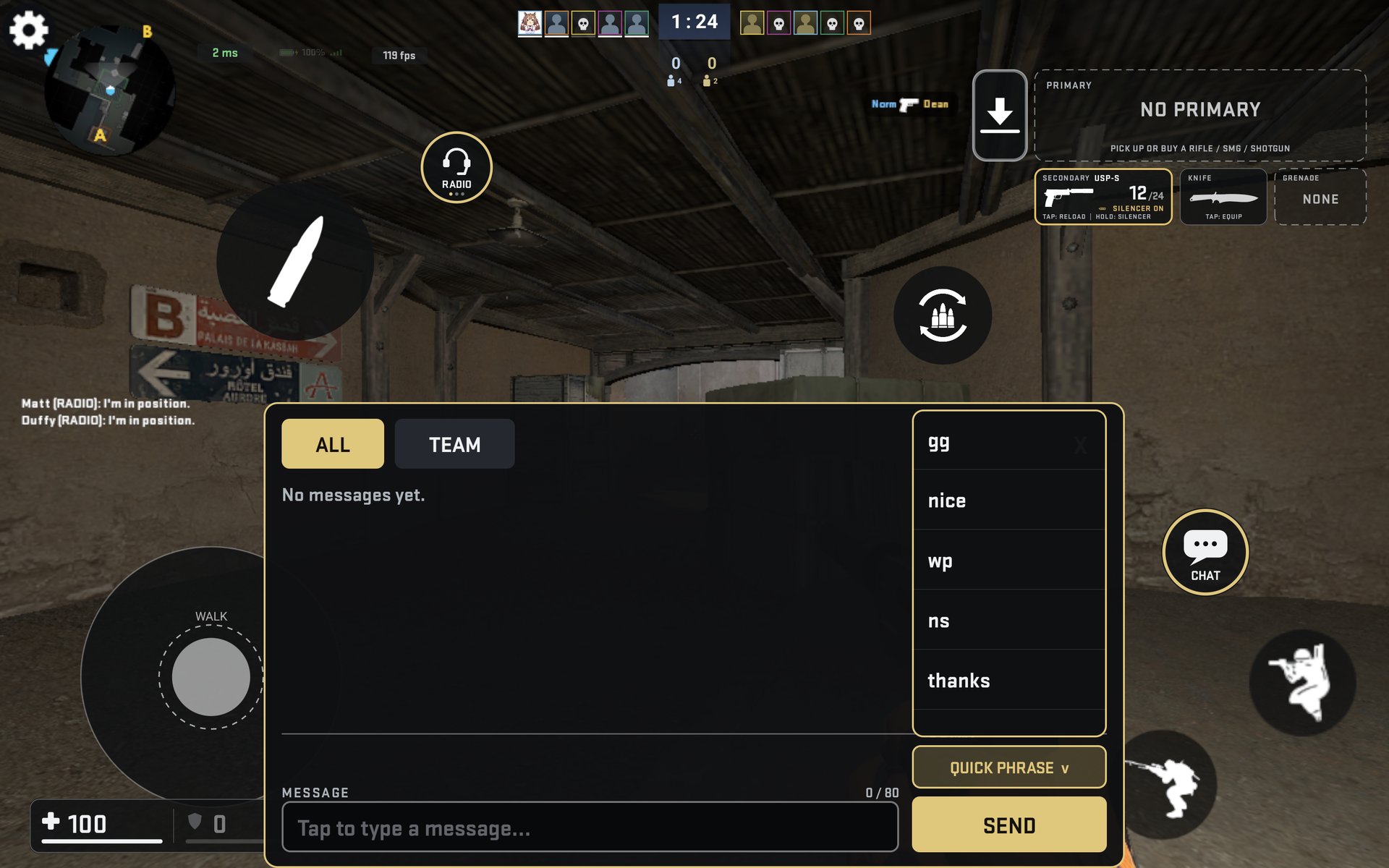
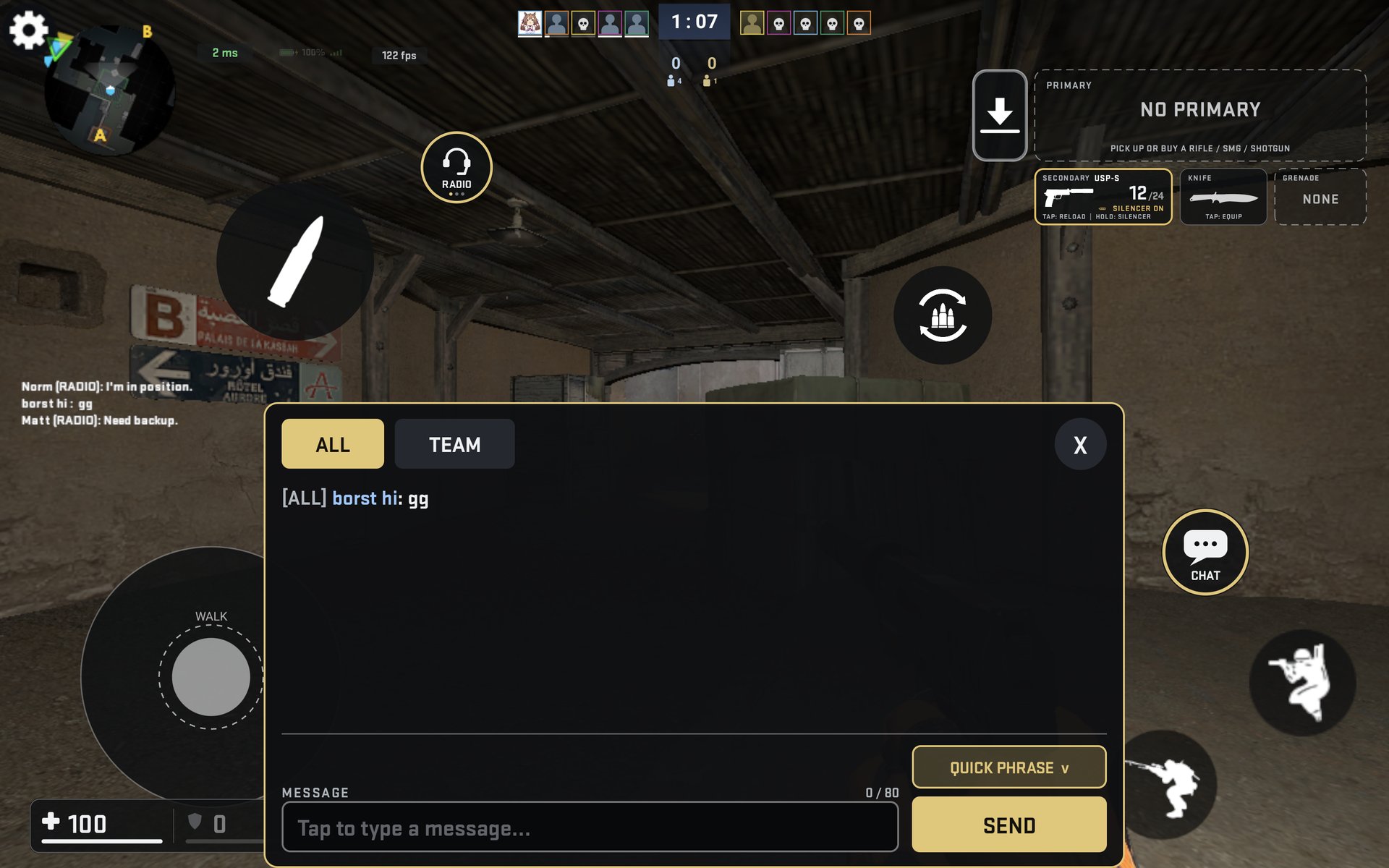
In-game chat
A CHAT button next to RADIO opens a bottom sheet with ALL / TEAM tabs, history, a text field that moves above the keyboard, and a QUICK PHRASE dropdown that opens upwards. Text is sanitised, so chat cannot run console commands.
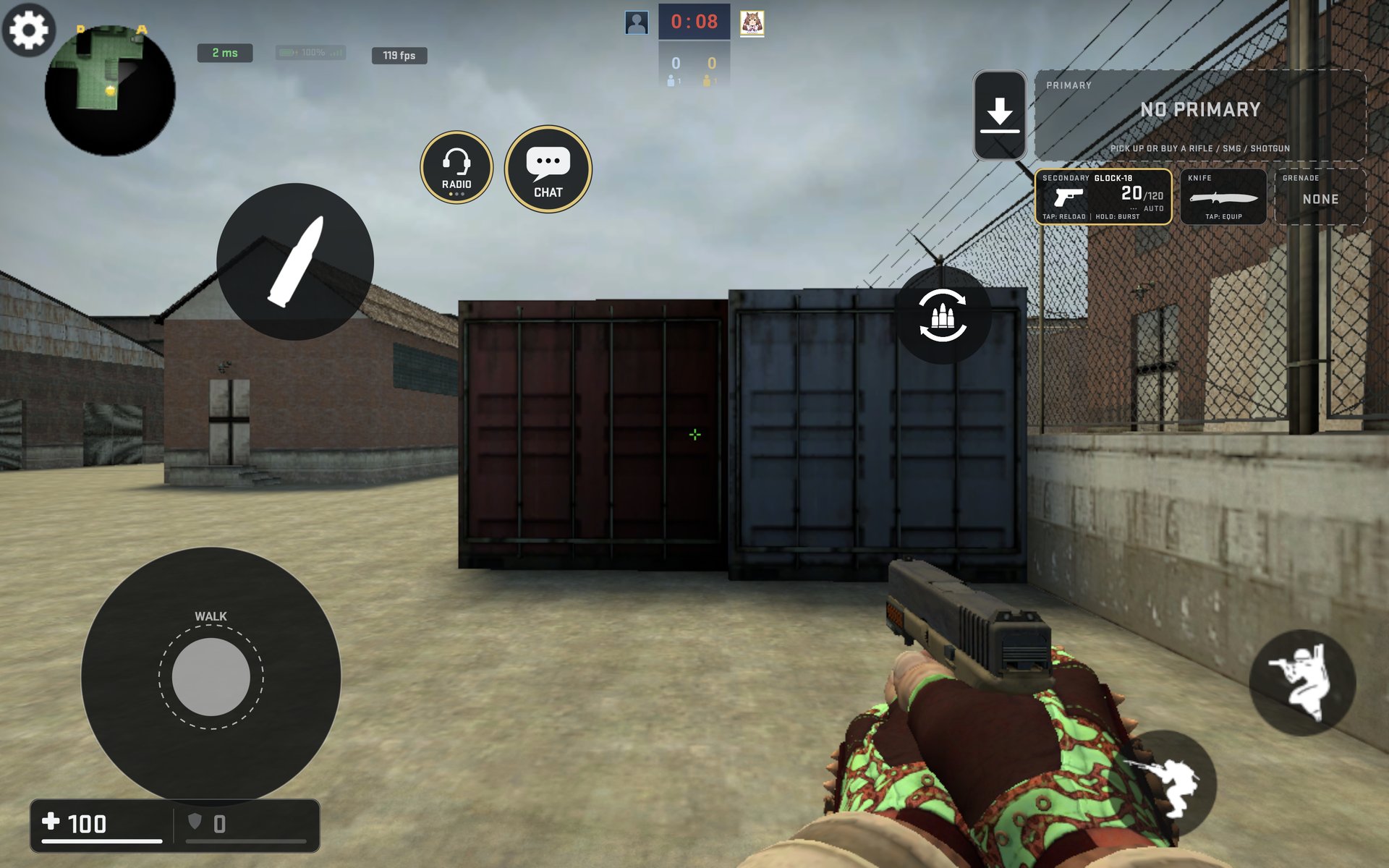
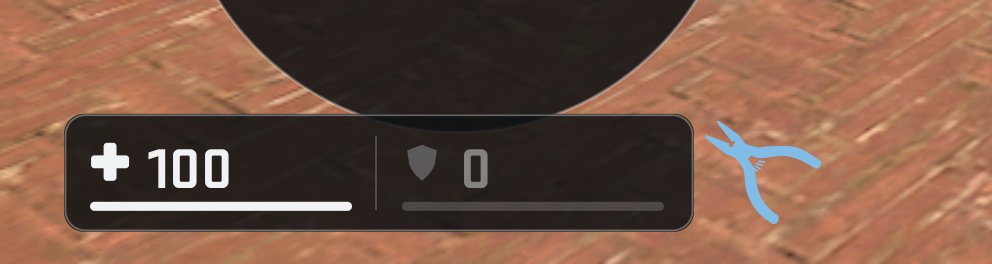
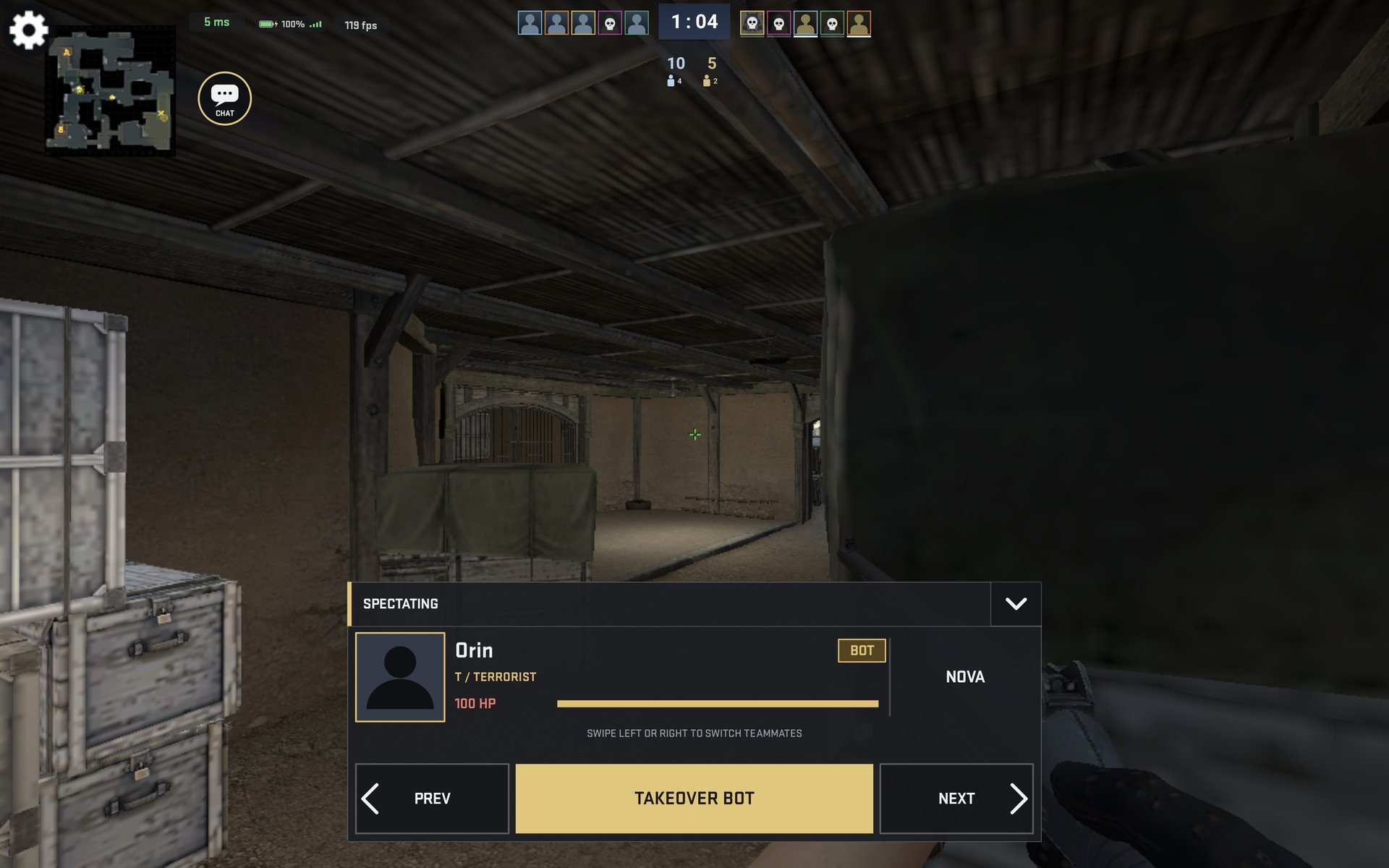
Big map, defuse kit, spectator bar
Other round 10 changes
| Feature | How it works |
|---|---|
| Jump-throw | With a grenade throw held, a tap on JUMP is a normal jump; holding JUMP for 0.3 s jumps and releases in the same frame. A ring fills while you hold. |
| Scope HOLD / TOGGLE | Sniper and scoped rifles zoom while the finger is down, or toggle per tap (default). |
| Scoreboard TAP / HOLD | HOLD shows the scoreboard only while your finger is on the timer. |
| Pause in Play Offline | A Pause / Resume item in the in-game menu, hidden in LAN games, with a PAUSED banner. |
| USE weapon swap | Looking at a dropped weapon shows the swap icon on USE; a tap swaps it into that slot. |
| M4A1-S / USP-S silencer | Hold the weapon card to toggle; the old M2 spot no longer reacts. |
| Team accents | In-game gold outlines turn orange for T and blue for CT. |
| Aim zone repair | The invisible aim zone cannot be dragged in the editor any more, and broken layouts are repaired automatically. |
| Wi-Fi low-latency lock | Joiners keep Android's Wi-Fi power save off during a match, so no ping spikes. |
How to install
Two parts: the app and the game files
This is not a one-file APK install like the Dota 2 Mobile patch. CSMOS needs its game files copied to the phone's internal storage first - about 8.7 GB.
Before you start: about 9 GB free on the phone, and a USB cable or enough space on an OTG stick. Android 9 or newer, 64-bit device.
-
Copy the game files
From the MEGA folder, download the CSMOS V8.5 folder (or the zip of it and unzip it). Copy that folder to the root of the phone's internal storage - the same level as Download, DCIM, Android.
Keep the folder name exactly CSMOS V8.5. The app looks for that name.
-
Install the app
Copy CSMOS-LAN.apk to the phone and open it. Allow "install unknown apps" for the file manager if Android asks.
If an older CSMOS is already installed, uninstall it first - the game files stay, only the app is removed. Your settings and layout are kept too.
-
Start it and grant storage
Open CSMOS and allow the storage permission when asked. The game finds the CSMOS V8.5 folder by itself and goes straight to the menu.
If it cannot find the folder, it opens Launch Options: pick the folder once there and the game remembers it.
Playing on a LAN
- Put every device on the same Wi-Fi, or on one phone's hotspot. No internet is needed.
- On the host: Create Lobby - name, mode, map, rounds, players - then START GAME when the teams are balanced (bots fill empty slots).
- On the others: Join a Lobby - the lobby appears in the list with its ping, or scan the host's QR with JOIN VIA QR.
Five players per side (two in Wingman). The host's device runs the match; the others are clients, so keep it plugged in.
Touch controls
| Control | What it does |
|---|---|
| Joystick (bottom-left) | Move. Dead zone and response curve are in Settings → Controls. |
| Weapon card (top-right) | Tap = reload. Hold = weapon wheel; keep holding, slide to a weapon and let go to switch. Let go in the middle to drop the weapon. Slide outside the wheel to cancel. |
| Right-click button | Changes with the weapon: scope, knife stab, grenade lob, R8 fan. SILENCER / BURST box for M4A1-S, USP-S, Glock-18, FAMAS. |
| USE | Only appears near doors, the bomb, hostages and dropped weapons. |
| BUY | Only in the buy zone. Tap the round timer for the scoreboard. |
| Gear button (top) | Edit the layout: drag to move, tap a button for SIZE / OPACITY, RESET LAYOUT restores the default. Radar and chat can be moved here too. |
If something goes wrong
- "Game files not found" / Launch Options opens every time - the folder is not at the storage root or is not named CSMOS V8.5. Move it to the root (not inside Download) and pick it once in Launch Options.
- Black screen on start - open Launch Options and use RESET VIDEO SETTINGS, then SAVE AND RESTART. On some devices the first start needs the storage permission before it can render the menu.
- Lobby does not appear on the other device - both devices must be on the same network and the host must have the lobby open. Some routers block device-to-device traffic ("AP isolation"); use a hotspot instead.
- Low FPS - Settings → Graphics: preset MEDIUM, FPS cap 60, shadow and water detail down, bloom off. Closing other apps matters more than any single option.
- Still stuck - Launch Options → SEND LOGS, then post the file in the Discord.
Other projects
Looking for Dota 2 Mobile with LAN instead? That is a separate build on its own site: dota2mobilelan.pages.dev.